Sentence parser
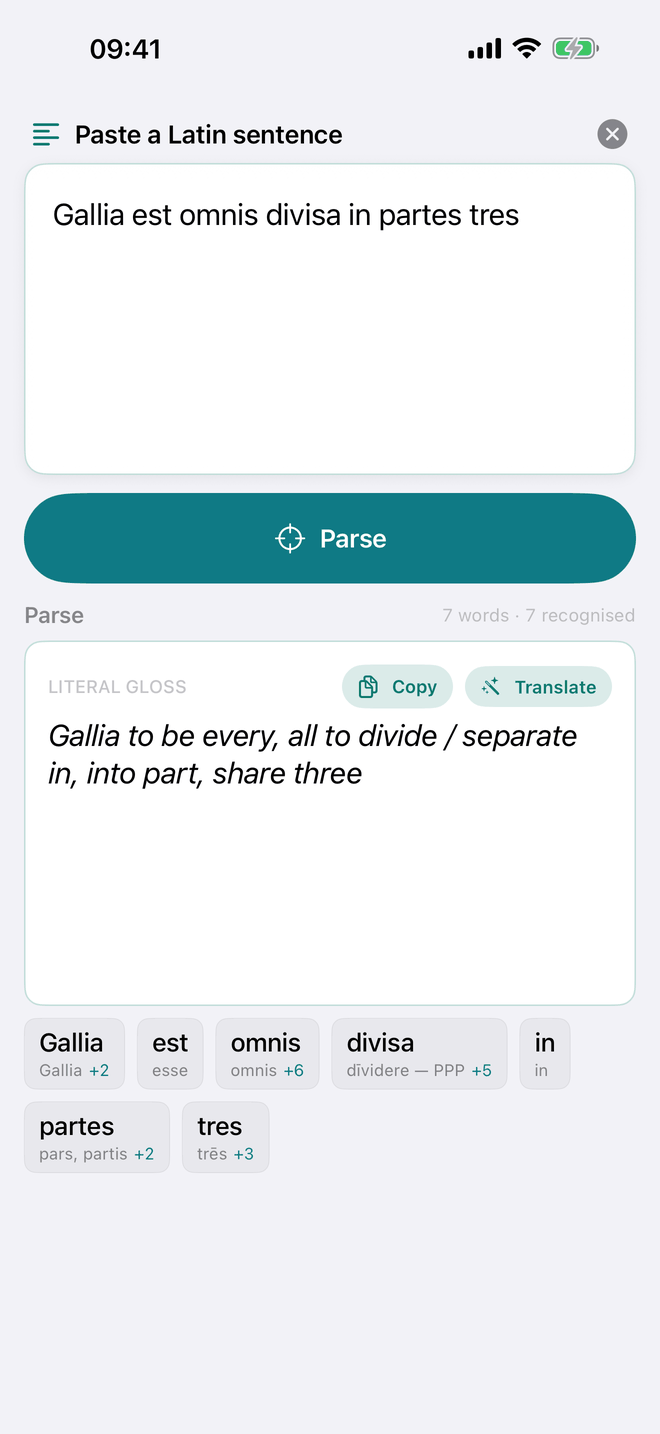
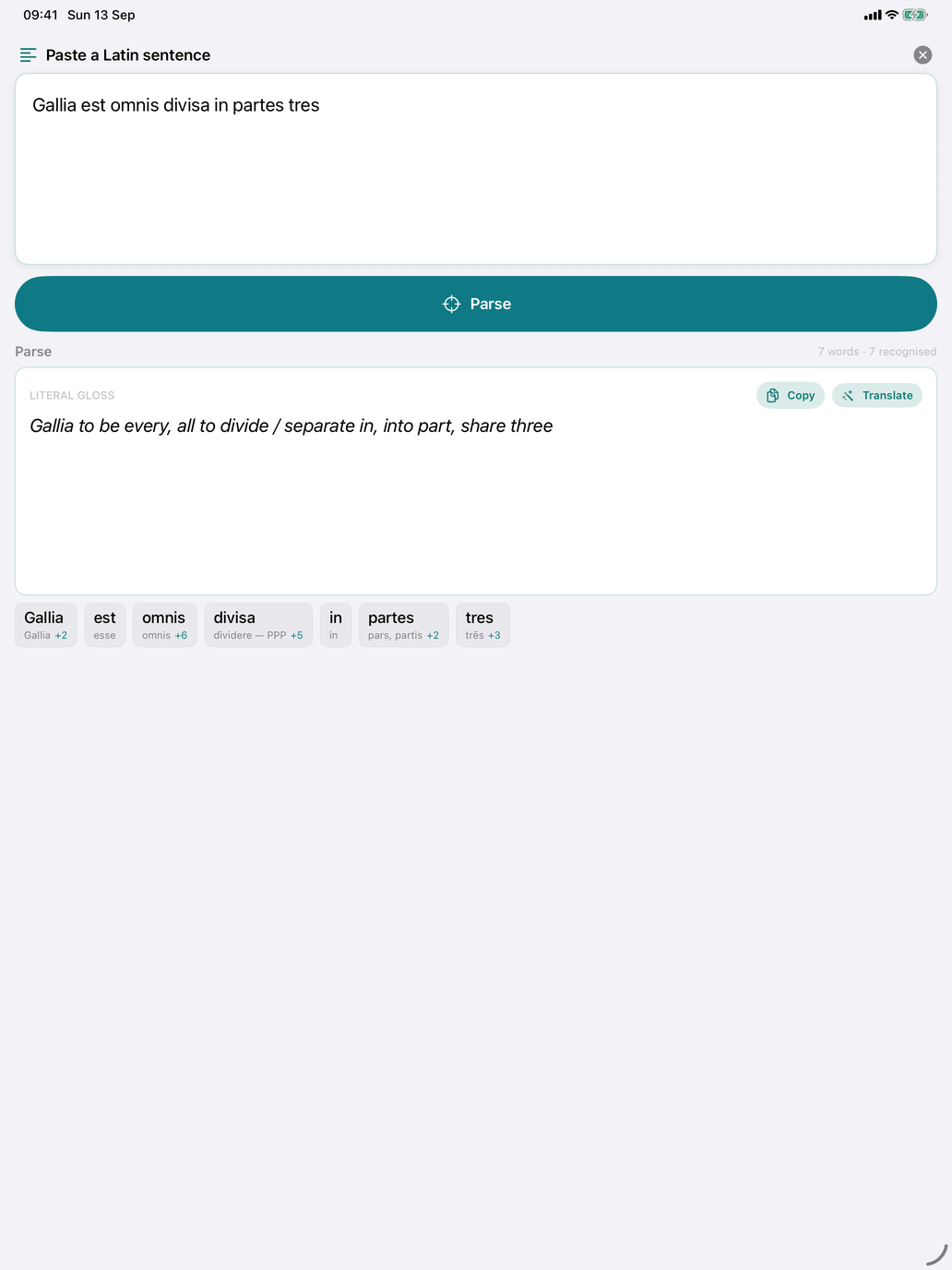
The sentence parser reads a whole Latin sentence and tells you what every word in it is. Open Self Study → Look up (on the Mac, Look up in the sidebar) and switch the toggle at the top from Word to Sentence. The toggle only appears when Latin is your learning language.
Type or paste a sentence (a line of Caesar, a Vulgate verse, a sentence from your homework) into the box and tap Parse. If you have nothing to hand, tap the suggestion under the box ("Gallia est omnis divisa in partes tres") to fill it in. The × button clears the box.
What you see
- A count — how many words the sentence has and how many were recognised.
- Literal gloss — a word-by-word rendering built from the first parse of each word. It is not a proper translation: it keeps the Latin word order and picks one meaning per word, but it shows quickly what the sentence is about. Copy puts it on the clipboard.
- Translate — on devices with Apple Intelligence (iOS 26 or macOS 26 and later), this asks the on-device language model for an Idiomatic translation, in Dutch if Dutch is your app language and in English otherwise. If the model can't run, a short message says why (for example that Apple Intelligence is switched off). The translation is machine-made, so check it against the parse.
- Word chips — one chip per word. Each chip shows the word as you typed it and, underneath, the lemma of its most likely parse. A +2-style badge means the word has more possible parses. Words the parser doesn't know show unknown and can't be tapped.
Tap a chip to open the Parse sheet, which lists every possible parse of that word: the lemma, what the form is (for example Noun — case, number, gender and the declension, or Verb — person and tense) and the translation. Parses that differ only in case share one row, so rosa shows one row for nominative, vocative and ablative singular rather than three. Latin forms are often ambiguous: eō is both "I go" (from īre) and the dative or ablative of the pronoun is, and both appear.
The parses are ordered by a fixed rule of thumb, not by the sentence: verbs first, then pronouns, small words, numerals, nouns, adjectives and participles, and within those the commoner case, number and tense first. Treat the top parse as a hint, not a verdict.
Rows with a chevron open more detail:
- a noun opens the noun's page, with the matching form highlighted in its declension table;
- an adjective opens the adjective's page;
- a verb opens its conjugation at the tense that matched; a participle opens the conjugation of its verb.
Pronouns, numerals and small words (prepositions, conjunctions, adverbs, particles) show their parse but don't open anything.
What the parser handles
- Macrons and capitals — matching ignores both, so gallia est omnis divisa finds dīvīsa. The chip keeps what you typed; the lemmas and forms in the Parse sheet carry the catalogue's macrons.
- Punctuation — punctuation and symbols at the start or end of a word (commas, full stops, question marks, quotation marks, brackets) are removed before lookup.
- Enclitics — when a word isn't found as it stands and ends in -que, -ve, -ne or -cum, the parser removes the ending and tries again. Filiusque then shows the parses of filius plus a separate row for -que ("and"); mēcum shows mē plus -cum ("with"). Words that are complete in themselves, such as neque or itaque, are not split.
- Adverbs — besides the common ones, adverbs formed from adjectives in the catalogue (fortiter, clārē) are recognised and show the adjective they come from.
What the parser does not do
- It parses one word at a time. It says what each word is, not what it is doing in the sentence (subject, object, agent), and it does not combine words: in amātus est you get the participle amātus and the verb est separately.
- It does not choose between readings. Every parse is listed; deciding which one fits the sentence is up to you.
- It does not restore elided vowels in verse (atqu' ego for atque ego). Paste the full form.
- It only knows the words in the app's catalogue. Rarer words, most names and words that aren't there show unknown. The screen itself suggests sentences from a beginner's course such as Ørberg's Familia Romana or Wheelock: most of their words are in the catalogue.
- It keeps no history. Each parse replaces the last.
When to use it
- Reading — paste a sentence you are stuck on, get the morphology, then work out the syntax yourself.
- Checking your own translation — if you're unsure of a form, see what the parser makes of it.
- Sight reading — identify each word yourself first, then parse the sentence to check.