Select tenses
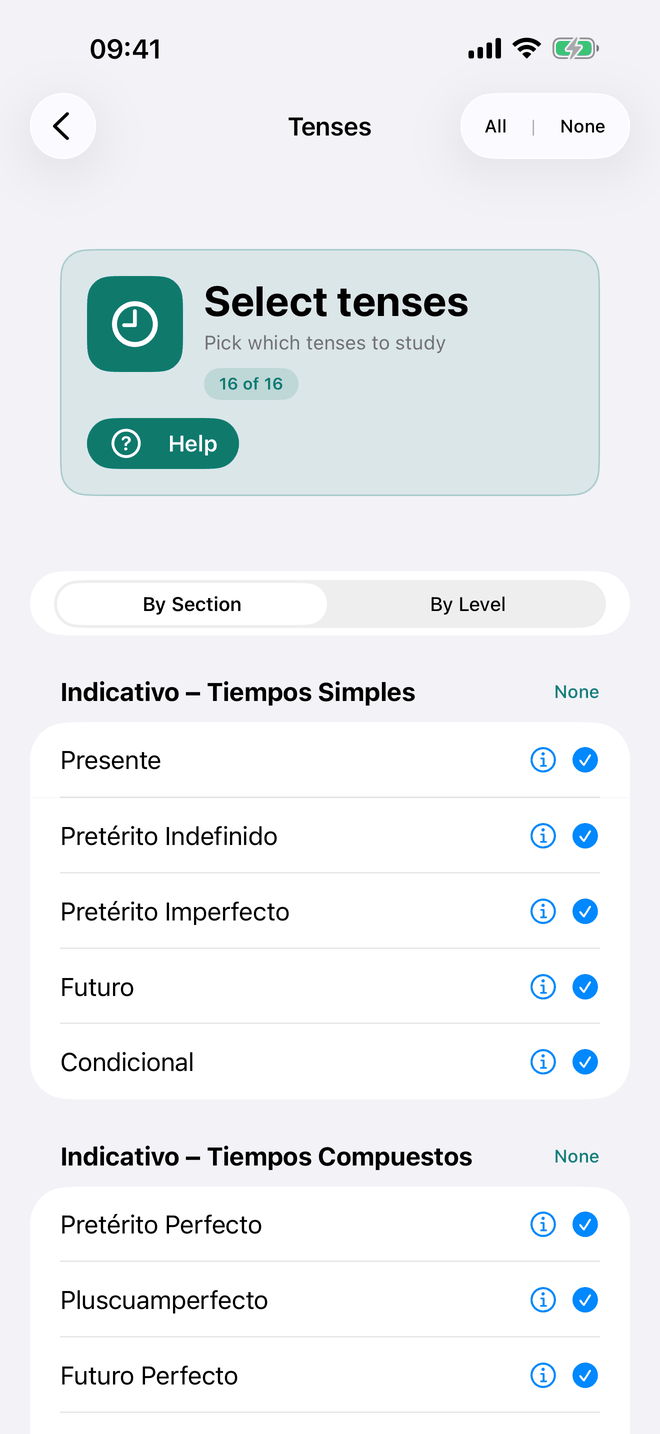
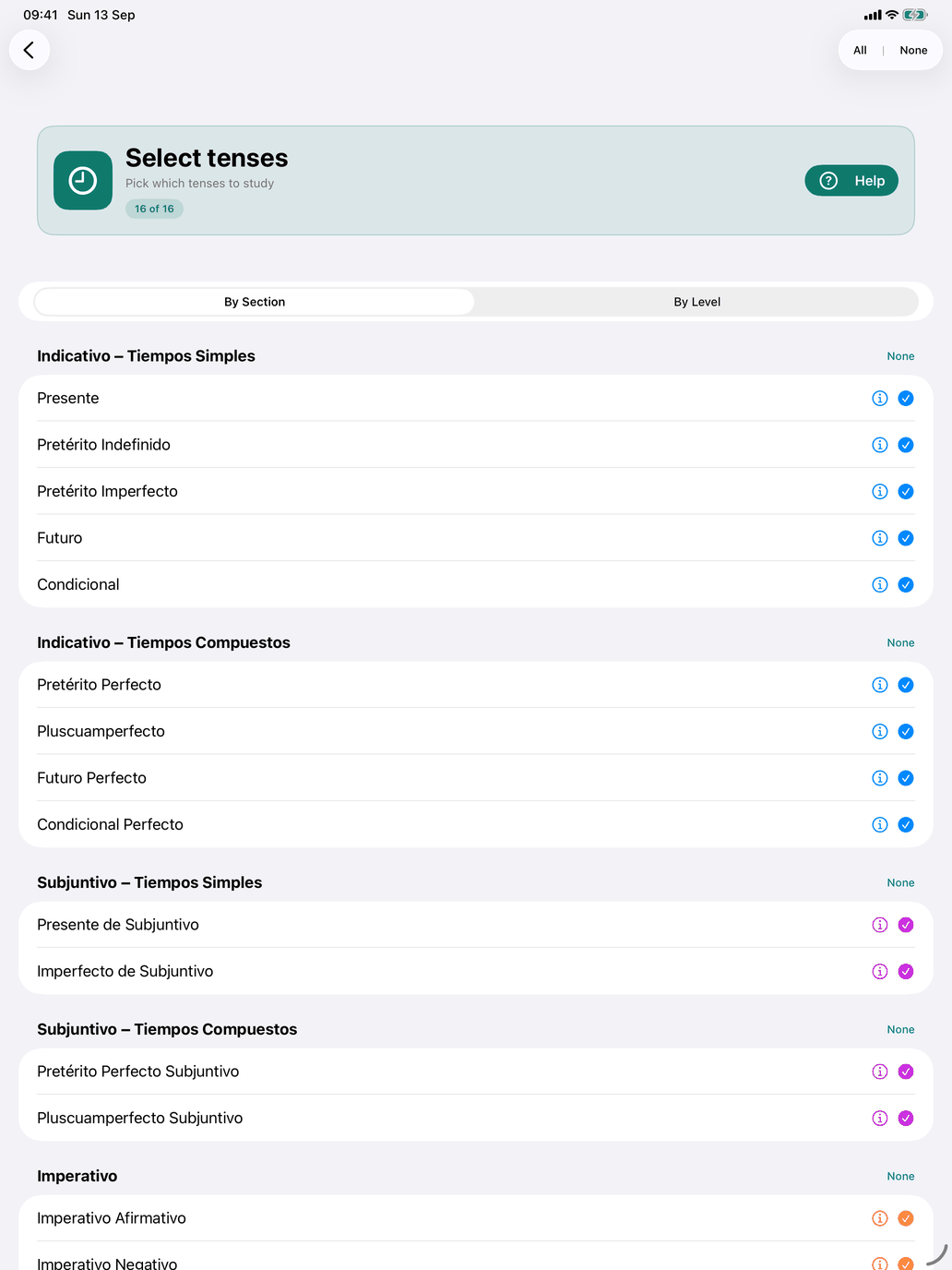
Select tenses chooses which of the sixteen tenses you study. The choice applies everywhere verbs are practised: the conjugation tables show only the selected tenses, the tense examples on a verb's Usage tab follow it, and the conjugation drills ask only about those tenses.
The banner shows how many tenses are active, e.g. "16 of 16". Tap a row to include or exclude that tense. Each section header has an All / None button, and All | None at the top right selects or clears every tense at once. If you leave the screen with nothing selected, the app warns you — "No tenses selected".
By Section
The tenses are grouped by mood:
- Indicativo – Tiempos Simples — Presente, Pretérito Indefinido, Pretérito Imperfecto, Futuro, Condicional.
- Indicativo – Tiempos Compuestos — Pretérito Perfecto, Pluscuamperfecto, Futuro Perfecto, Condicional Perfecto.
- Subjuntivo – Tiempos Simples — Presente de Subjuntivo, Imperfecto de Subjuntivo.
- Subjuntivo – Tiempos Compuestos — Pretérito Perfecto Subjuntivo, Pluscuamperfecto Subjuntivo.
- Imperativo — Imperativo Afirmativo, Imperativo Negativo.
- Formas no Personales — Gerundio. (The infinitive and the past participle appear on every verb, but the gerundio is the only one you select here.)
Long-press a section header (on the Mac, click and hold) to read what that group of tenses is for.
By Level
The second view groups the same tenses by the CEFR level at which they are usually taught:
| Level | Tenses |
|---|---|
| A1 | Presente |
| A2 | Pretérito Indefinido, Pretérito Imperfecto, Pretérito Perfecto, Imperativo Afirmativo, Gerundio |
| B1 | Futuro, Condicional, Pluscuamperfecto, Presente de Subjuntivo, Imperativo Negativo |
| B2 | Futuro Perfecto, Condicional Perfecto, Imperfecto de Subjuntivo, Pretérito Perfecto Subjuntivo |
| C1 | Pluscuamperfecto Subjuntivo |
The ⓘ on each tense
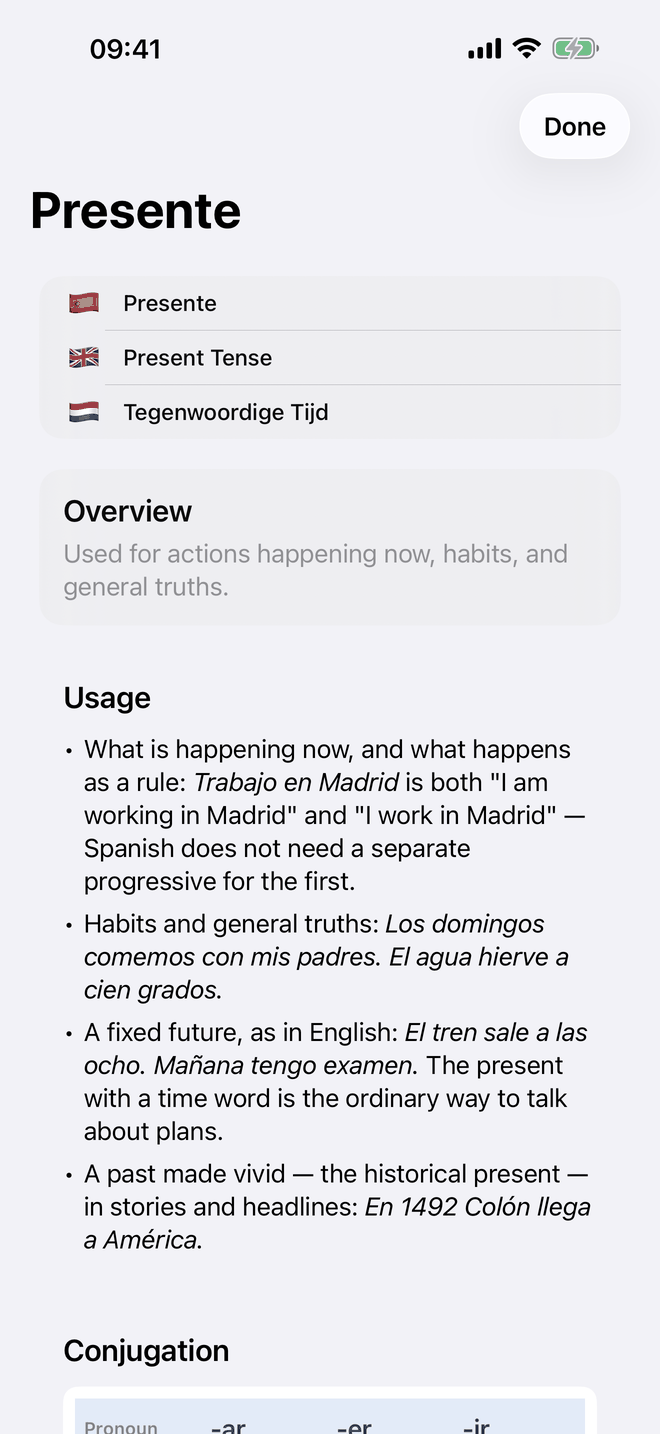
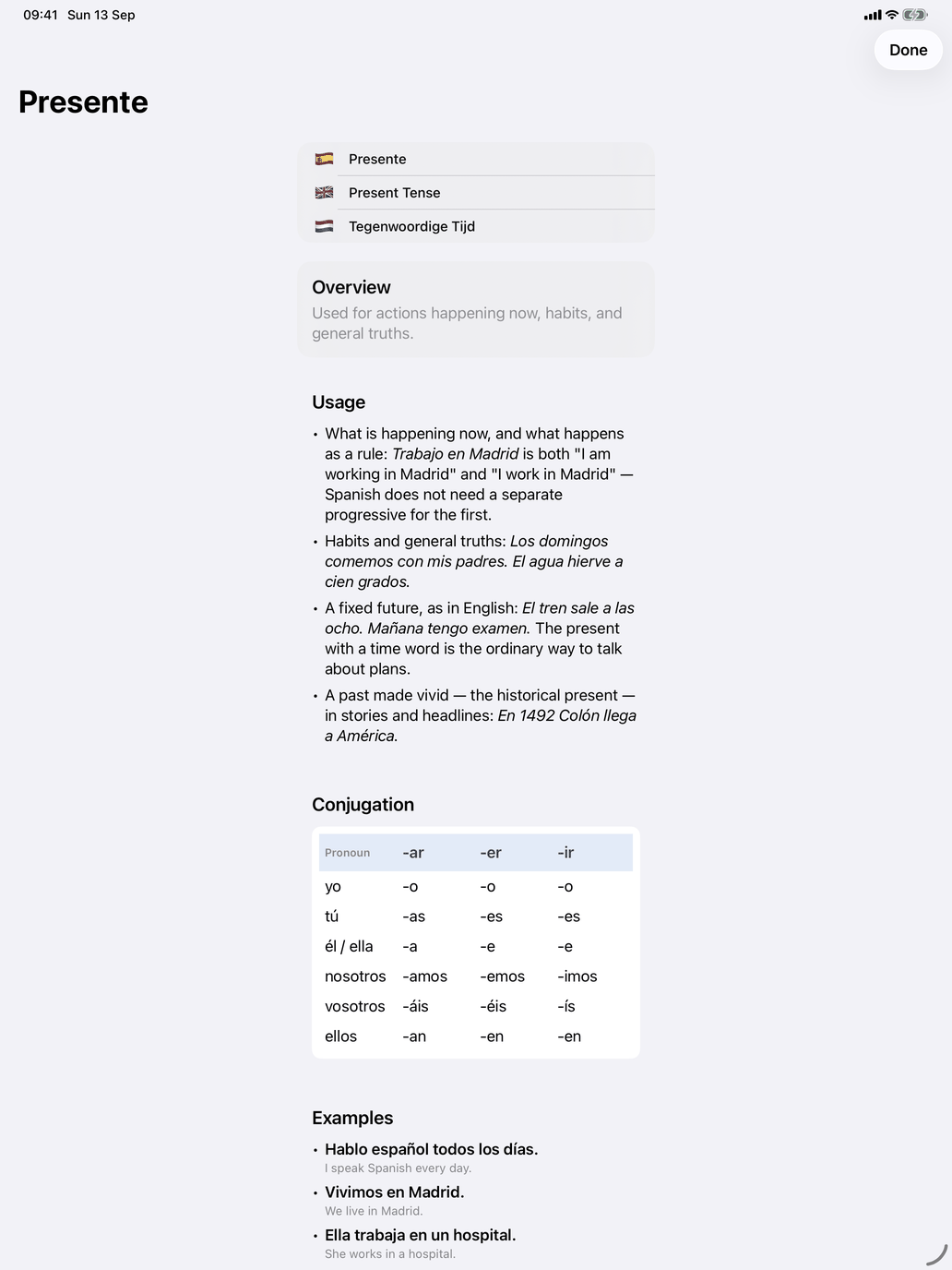
Every tense row has an ⓘ. It opens the tense's card: an overview, when the tense is used, an example conjugation and example sentences — the same cards as Tenses under Theory on the verbs hub.
Tip: Start with Presente alone, or with the simple indicative tenses. Add the others one at a time — Pretérito Indefinido is usually the next one worth learning.