Recognise the conjugation
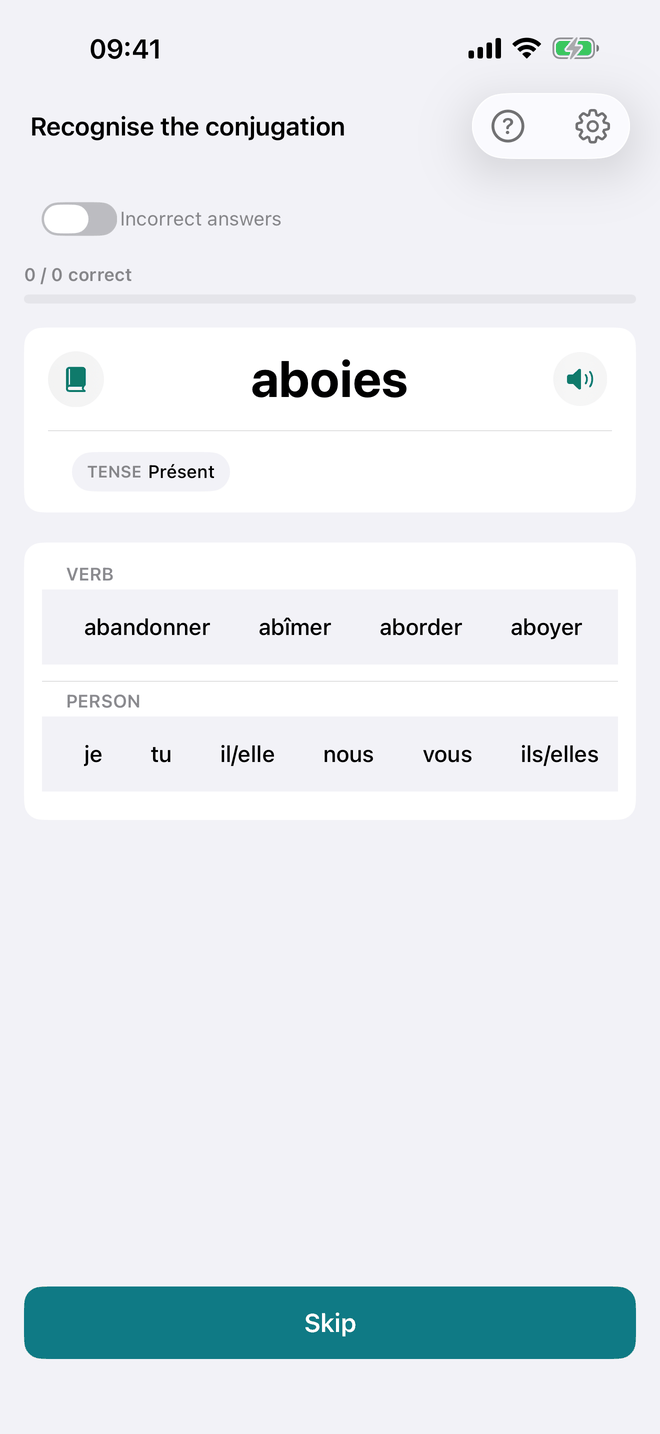
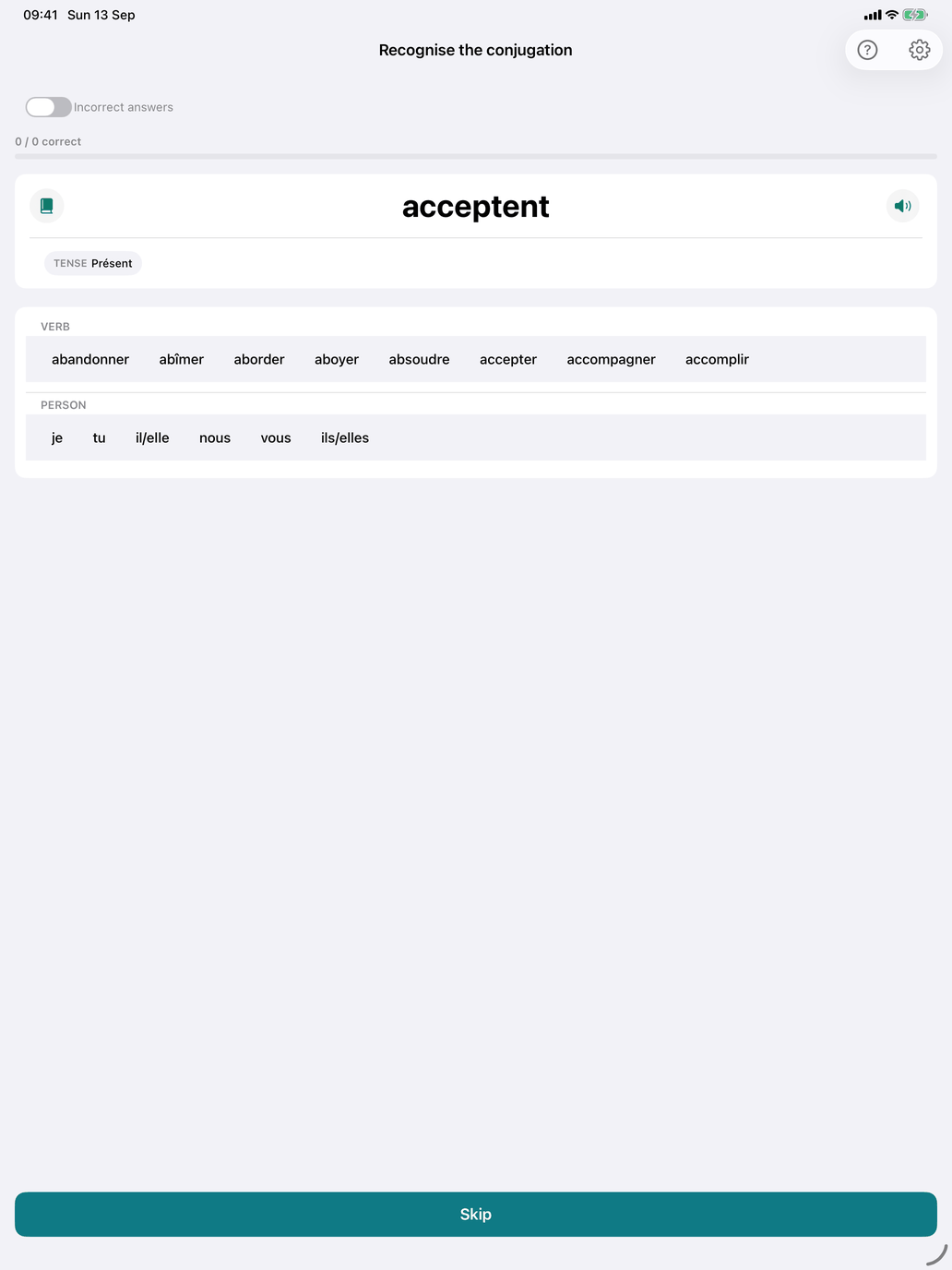
The recognition drill, the reverse of Produce the conjugation. You see a conjugated form and say what it is: which verb, which tense and which person.
How a question looks. The form is shown in large type, with a speaker that pronounces it. Once you have checked, a book appears beside the form: it opens the table of the form's tense for its verb — in a window of its own on the Mac — and closes when you go on. Below the form are three pickers: VERB, TENSE and PERSON.
- VERB offers the right verb among verbs whose spelling is similar. These come from the whole catalogue, not only from your selection.
- TENSE offers the tenses you have selected in Select tenses.
- PERSON offers all six persons.
The form is always a real form of a verb in your selection. Pronominal verbs are shown with their pronoun, so they can't be confused with the plain verb.
The action button changes with what you have done:
- Skip — nothing picked yet. Moves to a new question without recording anything.
- Check — all three pickers set. The button is disabled while only some of them are set.
- Next — after checking.
Ambiguous forms. Many French forms have more than one reading. Parle is the je and the il/elle form of the présent, and also of the subjonctif présent. Finis is both présent and passé simple. Any valid reading counts as correct. After a correct answer, the feedback says Correct and lists Other valid analyses:, each with its table. After a wrong one, it says Not quite, marks which of your three picks were wrong, and shows Your answer: (the table your picks point to, in red) and then the Valid analyses: (in blue). The feedback also gives a translation of the form, where one is available.
Recognition settings.
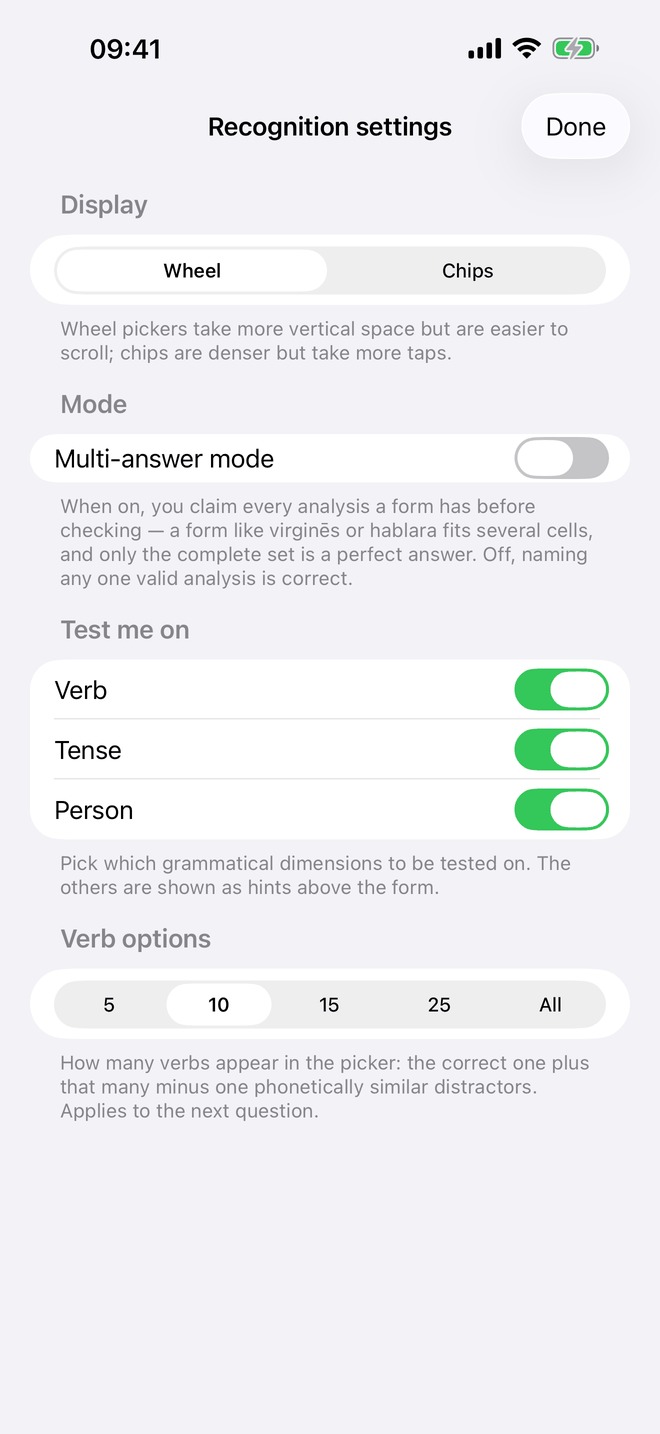
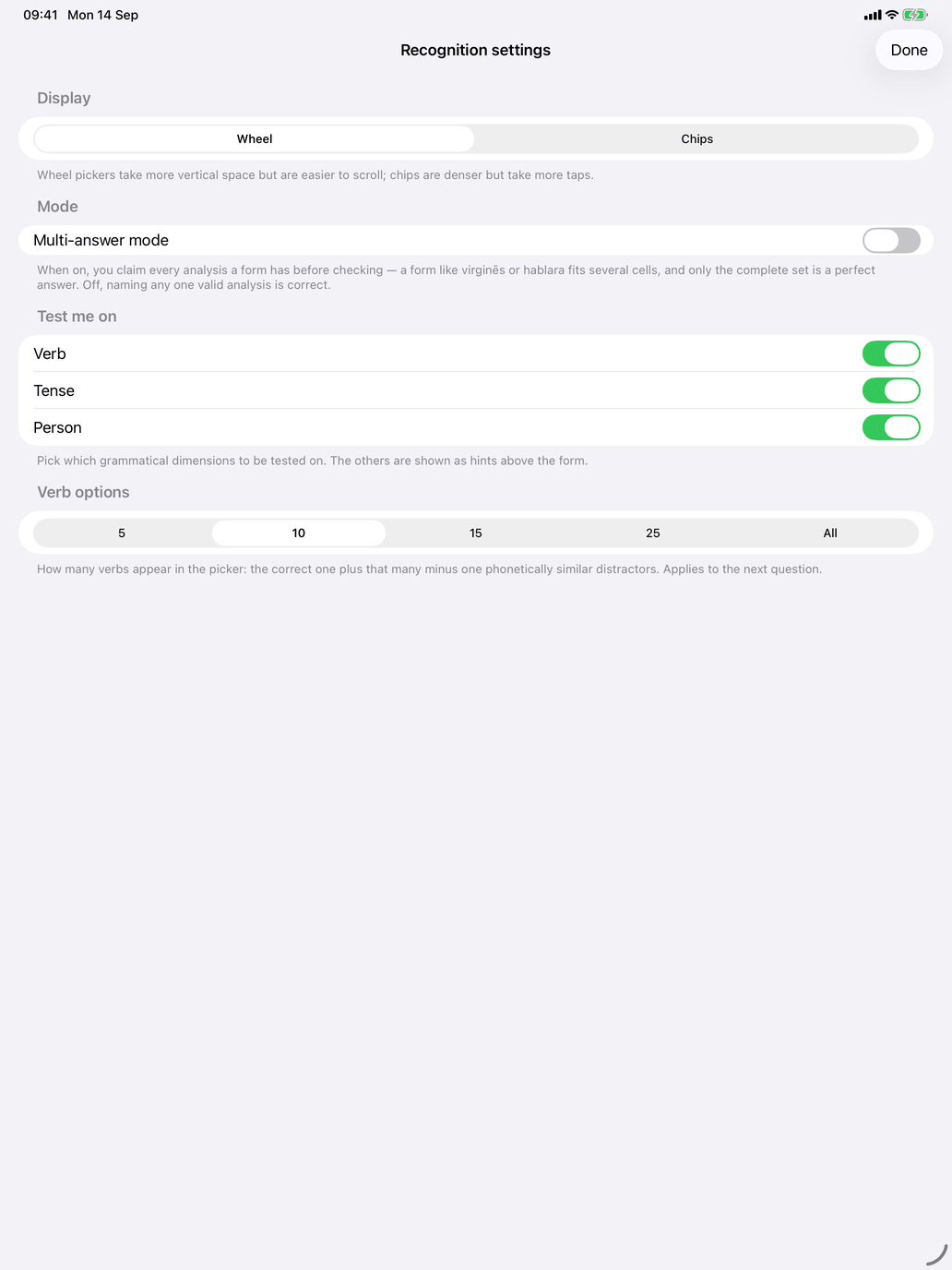
The gear button opens the settings:
- Picker style — Chips (the default) or Wheel. Wheels take more room but are easier to scroll; chips are denser.
- Multi-answer mode — instead of naming one reading, you collect every reading the form has. Set the pickers and tap Add this analysis for each one; your claims are listed and can be removed. Check then grades the whole set, and only the complete set counts as fully correct.
- Test me on — switch Verb, Tense and Person on or off. A dimension you switch off is shown as a hint above the form, so you can start with the tense alone and add person and verb later. At least one must stay on.
- Verb options (shown while Verb is tested) — how many verbs the VERB picker offers.
The session. The line at the top counts your answers ("7 / 9 correct"), with a bar showing your success rate. The Incorrect answers switch, the session length and the choice of verbs work as in Produce the conjugation. Each checked answer is recorded on your device; skipped questions are not.
When to use it. Recognition is the drill for reading: use it when you can produce the common forms but stumble over them in a text. It is also the way to meet the literary tenses, passé simple and subjonctif imparfait, which you will read far more often than you write. If it feels too hard, run Produce the conjugation in Pick mode first, then come back.