The Theory / Study / Practice pattern
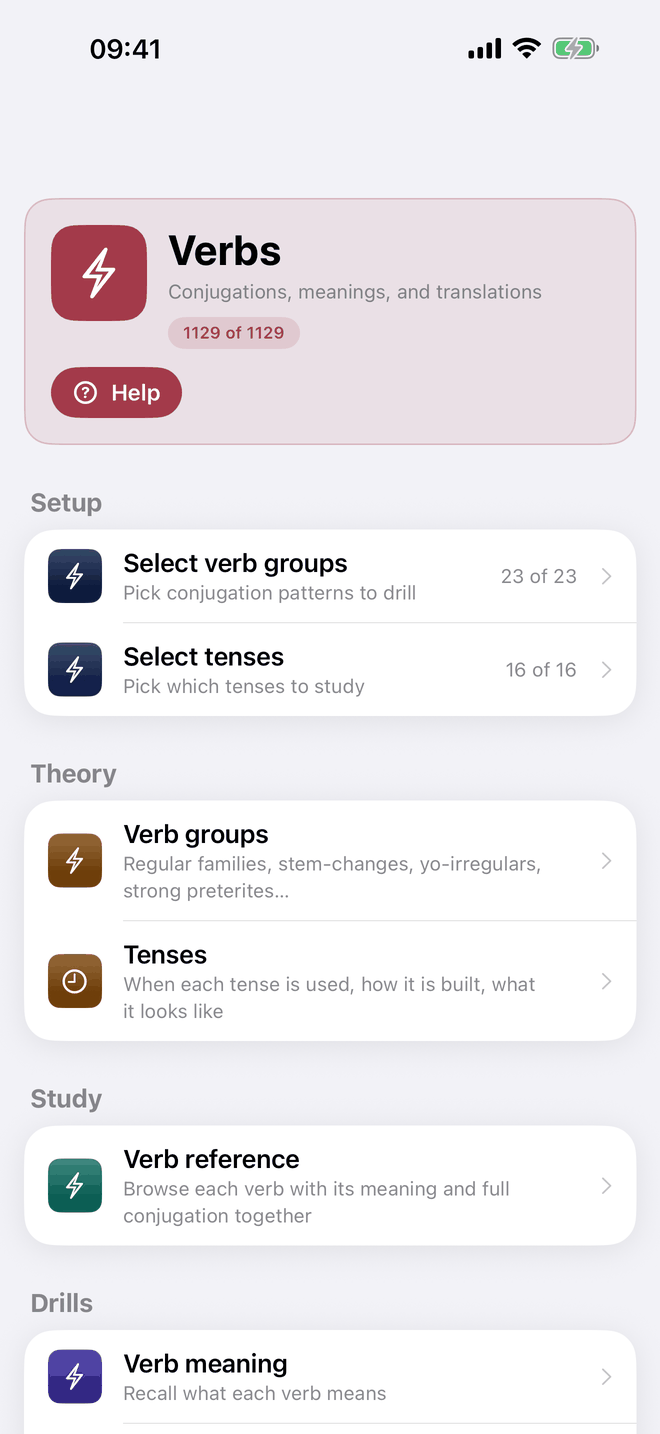
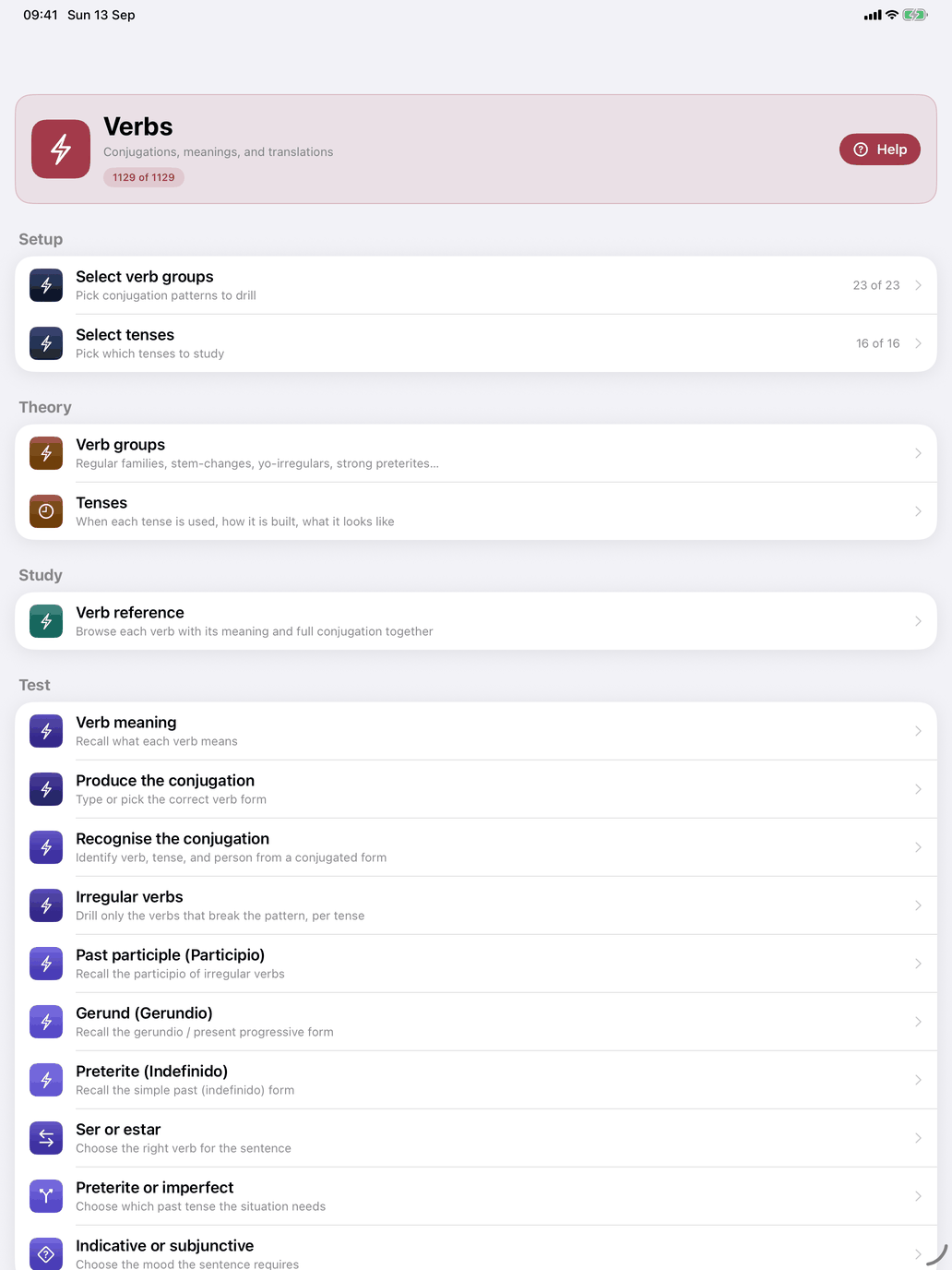
Every word-type hub in Self Study — Verbs, Nouns, Adjectives, Adverbs, Pronouns, Prepositions, Numerals, Other Vocabulary, Phrases — follows the same pattern. At the top is a card with the hub's name, a short description, often a count of what is in play (for verbs, n of m verbs), and a Help button. Below it are up to three sections:
- Theory — explanations: grammar prose, paradigms, how the catalogue is organised. No drills, no tests; just read until the pattern makes sense. The same pages, from every hub, are listed together under Theory in the Study section.
- Study — the reference: browse the items in your pool with their translations, and open any one for its full forms. Nothing is recorded here.
- Practice — choose which kinds are in play: verb groups and tenses, noun groups, adjective groups, word groups and so on (Select groups, and on the verbs hub also Select tenses). Each row shows how many you have chosen (12 of 40), in red when nothing is chosen. The picker it opens shows a running count of what your choice matches — and, where it applies, how many of those survive your word scope ("· 250 in scope"), with a Select word scope row to change that. So the pool a hub works from is what passes both your choice in these rows and the level and topics you set under Select word scope. Then the drills: flashcard decks and graded drills. Every answer is recorded and feeds the adaptive engine.
The Spanish Traps hub follows the same pattern without the selection rows: its decks are closed, so there is nothing to choose.
If your choice of verb groups has verbs but your word scope removes all of them, a red banner in the Practice section, above the selection rows, says so.
Opening a verb. Tapping a verb opens a tabbed detail screen — Conjugation · Regularity · Reference sheet — with the verb's translation beside the infinitive in the header. It opens on Conjugation: the tables for the tenses you have selected, each with a speaker button, a line saying what the tense is for and the verb's own sentence in that tense, and a toolbar button that shows a translation under every form. A By Tense / By Person picker turns the tables around: one panel per tense, or one per person with that person's form in every tense; Latin adds Filter. Regularity starts with a card of facts about how the verb is built, and answers a different question: where this verb departs from the regular pattern. It lists only those tenses, each with a verdict (Regular endings, changed stem, Regular endings, learned form, Partly irregular, Irregular or No regular pattern) and the stem it is built on, and names the regular tenses in one closing line. Tap a tense to see it on Conjugation with its explanation open. Reference sheet, where the course has one, is a one-page PDF of the verb; share or save it from the share button (on the Mac, Copy or Save as…).
The colours answer different questions. On the Regularity tab a stem you have to memorise is shown in amber; in the conjugation table the letters of a form that depart from the pattern are shown in red. A tense can therefore read Regular endings, changed stem — the endings hold, the stem does not — which is the ordinary case for a tense built on a stem of its own.
Word pool vs session size. Your word pool is the full set of items eligible to appear (defined by the selection rows and your word scope). Your session size is how many questions a single sitting asks: Questions per session in Settings → Study — 10, 20, 30, 50 or ∞ (until you stop). Each session the app draws from your pool, mixing words you have not seen yet with ones you find hard, in the proportion set by Learning pace.
Always check the selection rows before starting a drill. If nothing is selected, the drill has nothing to ask.