Reading texts
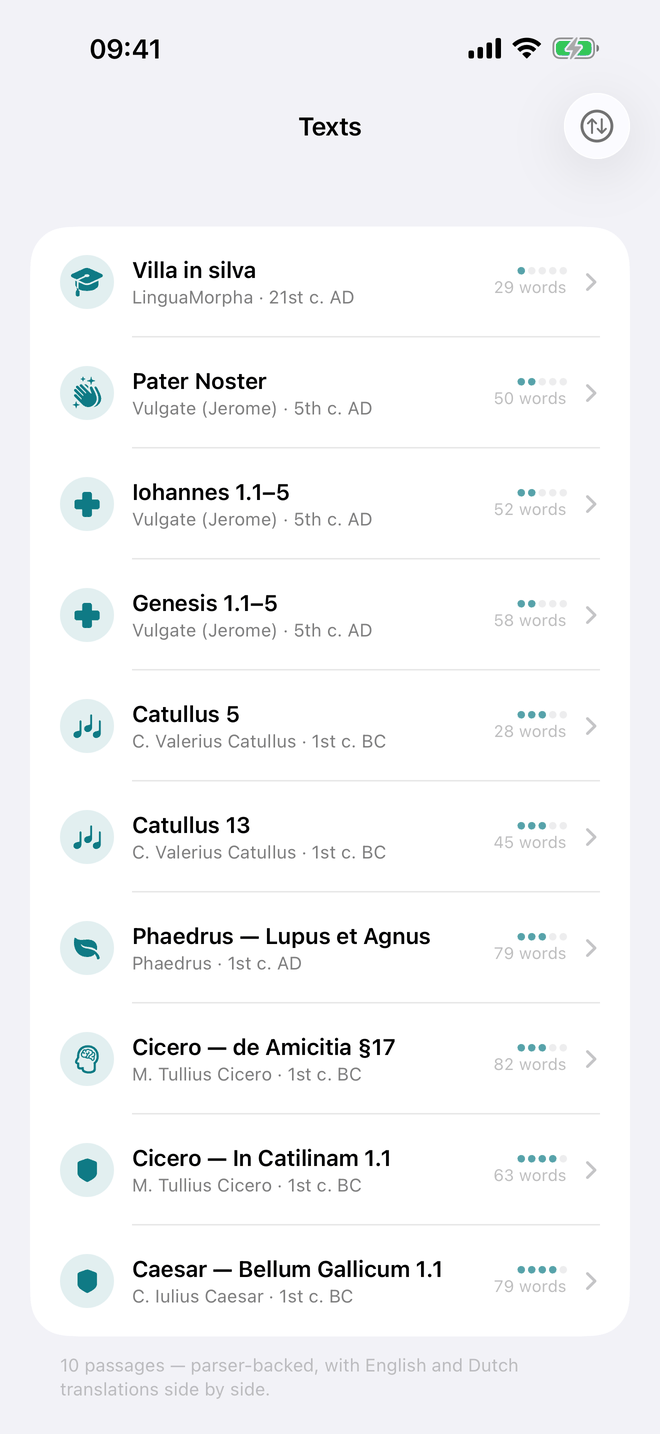
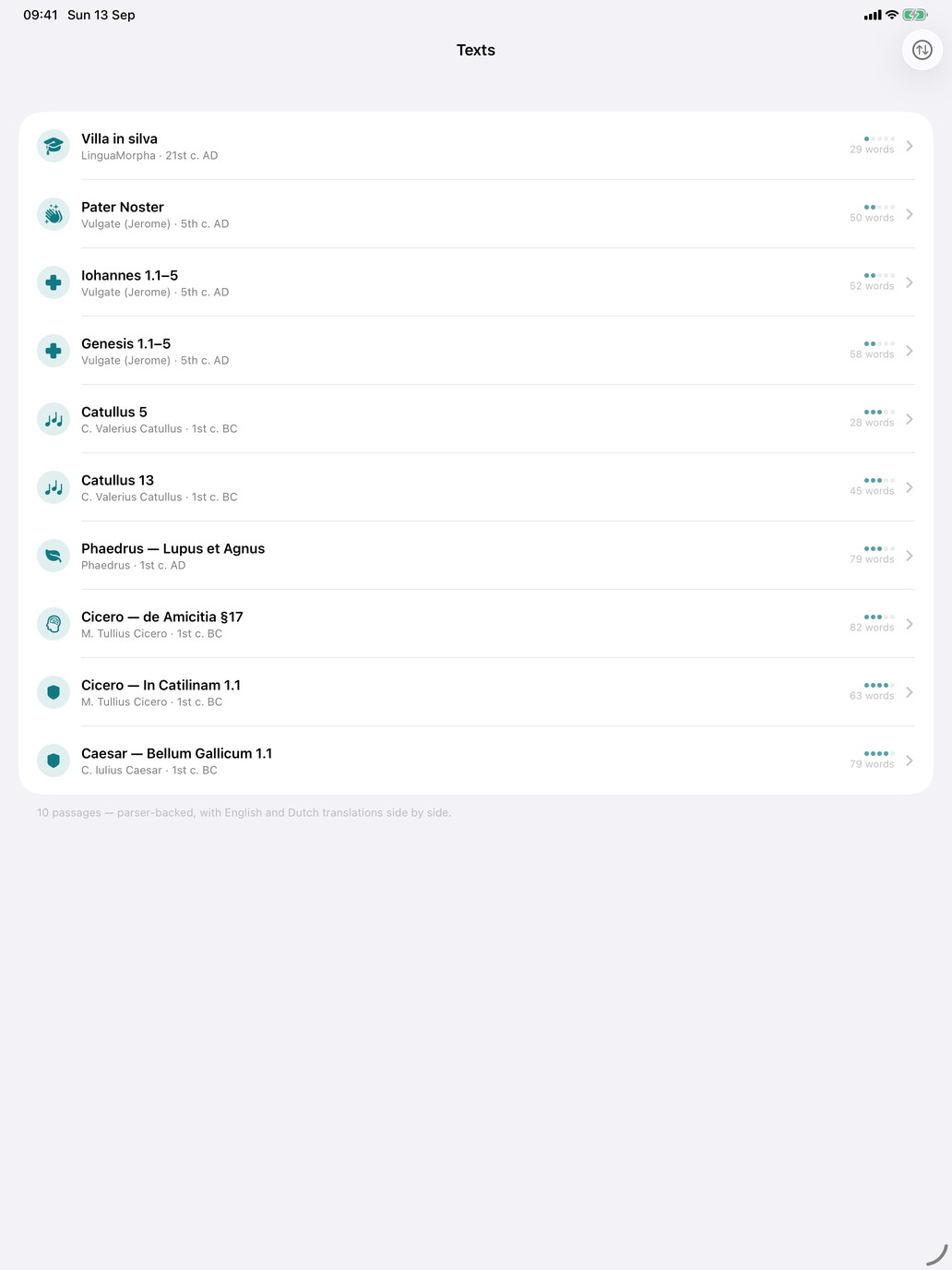
Open Self Study → Texts (shown only when Latin is your learning language). It holds ten short passages of Latin, from a beginner's passage to unaltered Caesar and Cicero. Each is read with the same parser as the Sentence parser, so almost every word can be tapped, and each comes with English and Dutch translations.
Each row shows the title, the author and century, the difficulty as dots (out of 5) and the number of words. The list is sorted by difficulty; the sort button in the toolbar switches to Chronological.
| Difficulty | Title | Author | Topic |
|---|---|---|---|
| 1 | Villa in silva | LinguaMorpha (a passage written for beginners) | primer |
| 2 | Pater Noster | Vulgate (Jerome), Matthew 6:9–13 | prayer |
| 2 | Genesis 1.1–5 | Vulgate (Jerome) | religion |
| 2 | Iohannes 1.1–5 | Vulgate (Jerome) | religion |
| 3 | Catullus 5 (Vivamus, mea Lesbia, lines 1–6) | Catullus | poetry |
| 3 | Catullus 13 (Cenabis bene, lines 1–8) | Catullus | poetry |
| 3 | Cicero — de Amicitia §17 | Cicero | philosophy |
| 3 | Phaedrus — Lupus et Agnus | Phaedrus | fable |
| 4 | Caesar — Bellum Gallicum 1.1 | Caesar | history |
| 4 | Cicero — In Catilinam 1.1 | Cicero | history |
Villa in silva and the Pater Noster are the easiest places to start. Caesar and In Catilinam are the hardest.
Reading a passage
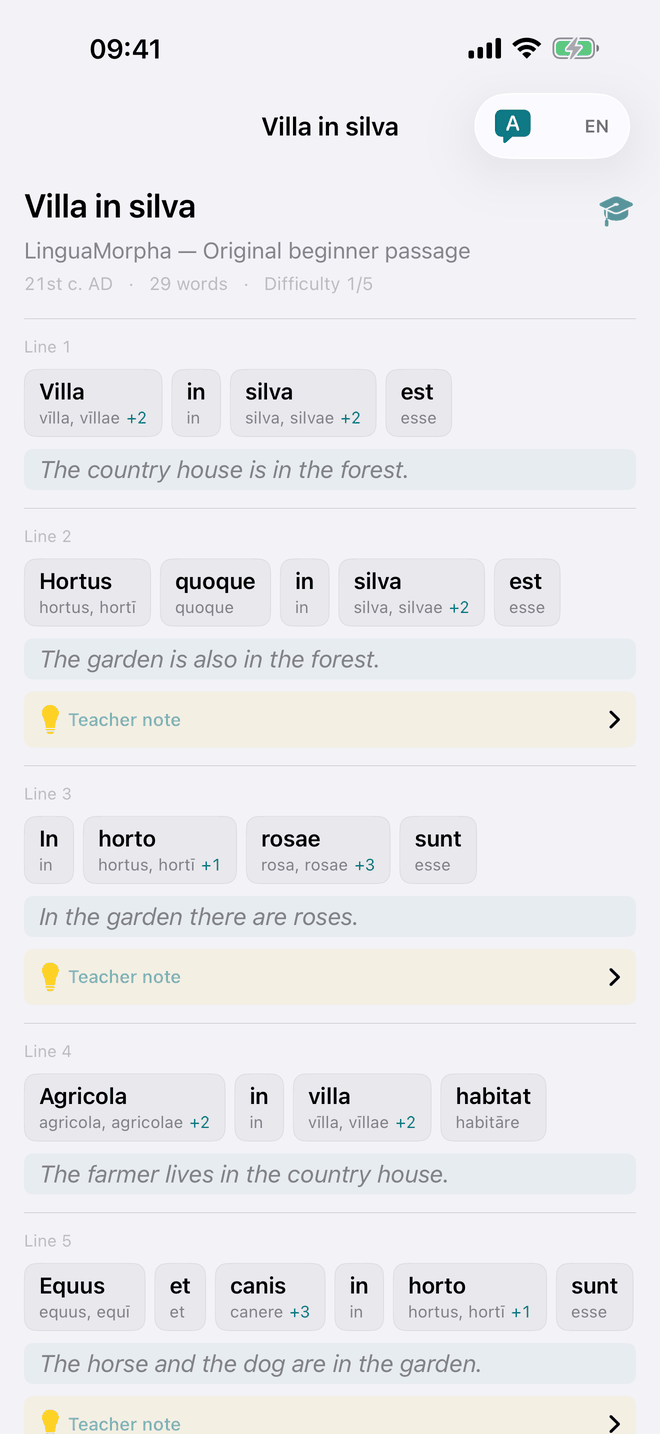
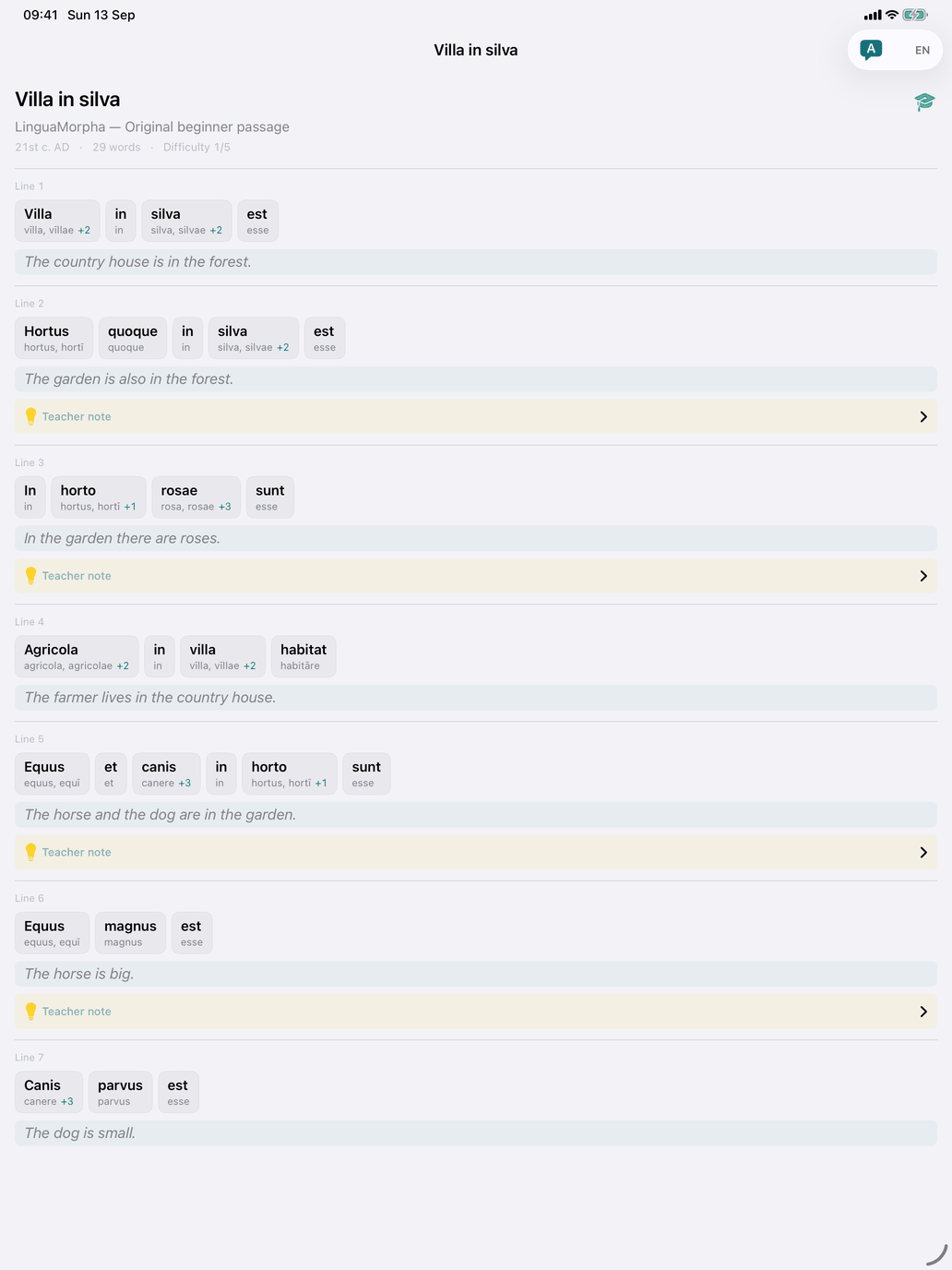
Tap a passage to open it. The header gives the author and source, the century, the word count and the difficulty. The text follows line by line, and each numbered line has:
- the Latin as word chips — each chip shows the word and the lemma of its most likely parse, with a badge if there are more parses. Words the parser doesn't know are marked unknown and outlined in orange;
- the translation of that line, underneath;
- Teacher note — on some lines, a yellow panel you tap to open. It explains a construction worth noticing, such as the jussive subjunctive sānctificētur in the first line of the Pater Noster. Not every line has one.
Two toolbar buttons control the translation. The speech-bubble button hides or shows it, so you can read the Latin on its own first. The EN / NL menu switches it between English and Nederlands; it starts in your app language. Every passage has both.
Tap a word to open Word details, which lists every possible parse with its lemma, form and translation, as in the Sentence parser. Unlike the sentence parser, this sheet doesn't open noun, adjective or verb pages. Read, close the sheet and carry on.
The Latin of the passages is written without macrons, as most printed texts are. The lemmas and forms in Word details, and the teacher notes, do use macrons.
If you touch and hold a word marked unknown, a Form not recognised message appears with that word. Its Report a problem button opens an e-mail with the form and the passage filled in, so the word can be added to the catalogue.
When to use it
- After the first two declensions — Villa in silva is written for your first weeks.
- As the step from drills to real text — the drills train forms one at a time; here you meet them in connected Latin, with translation and notes to fall back on.
- Together with the sentence parser — read a passage here, then paste your own text into the Sentence parser and read it the same way.