Select verb groups
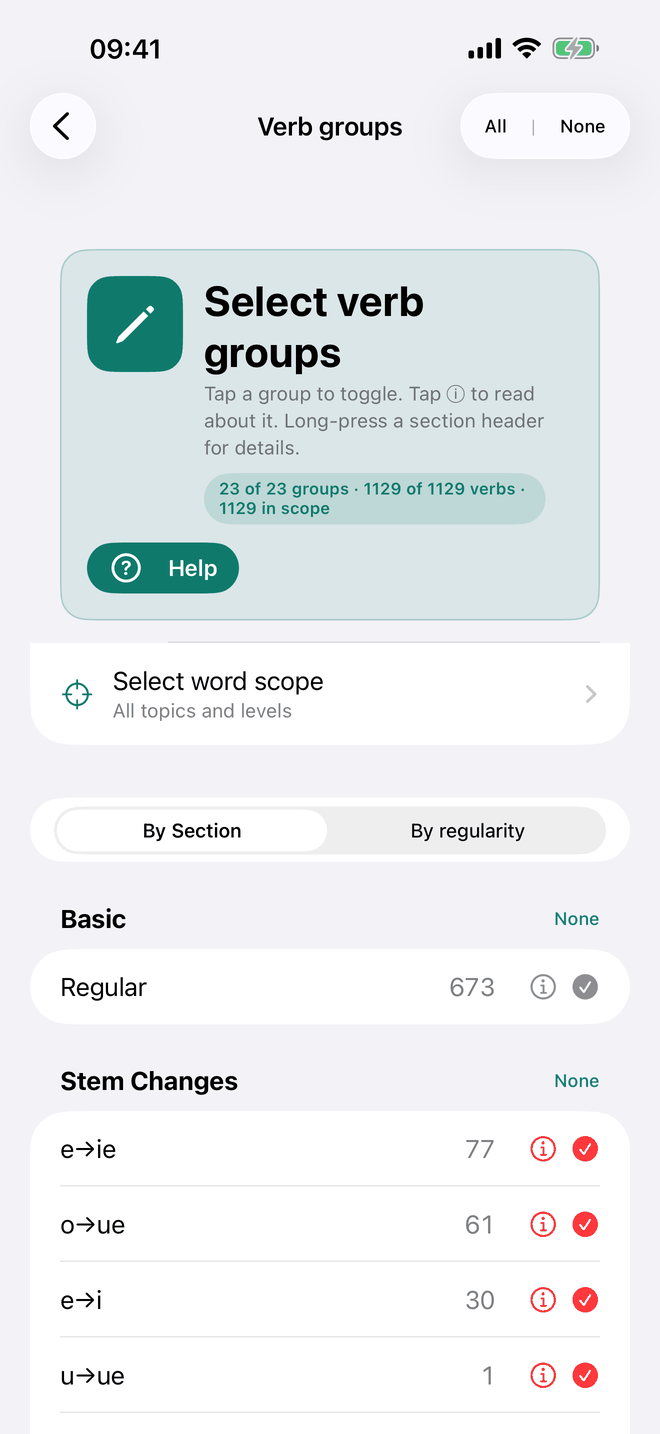
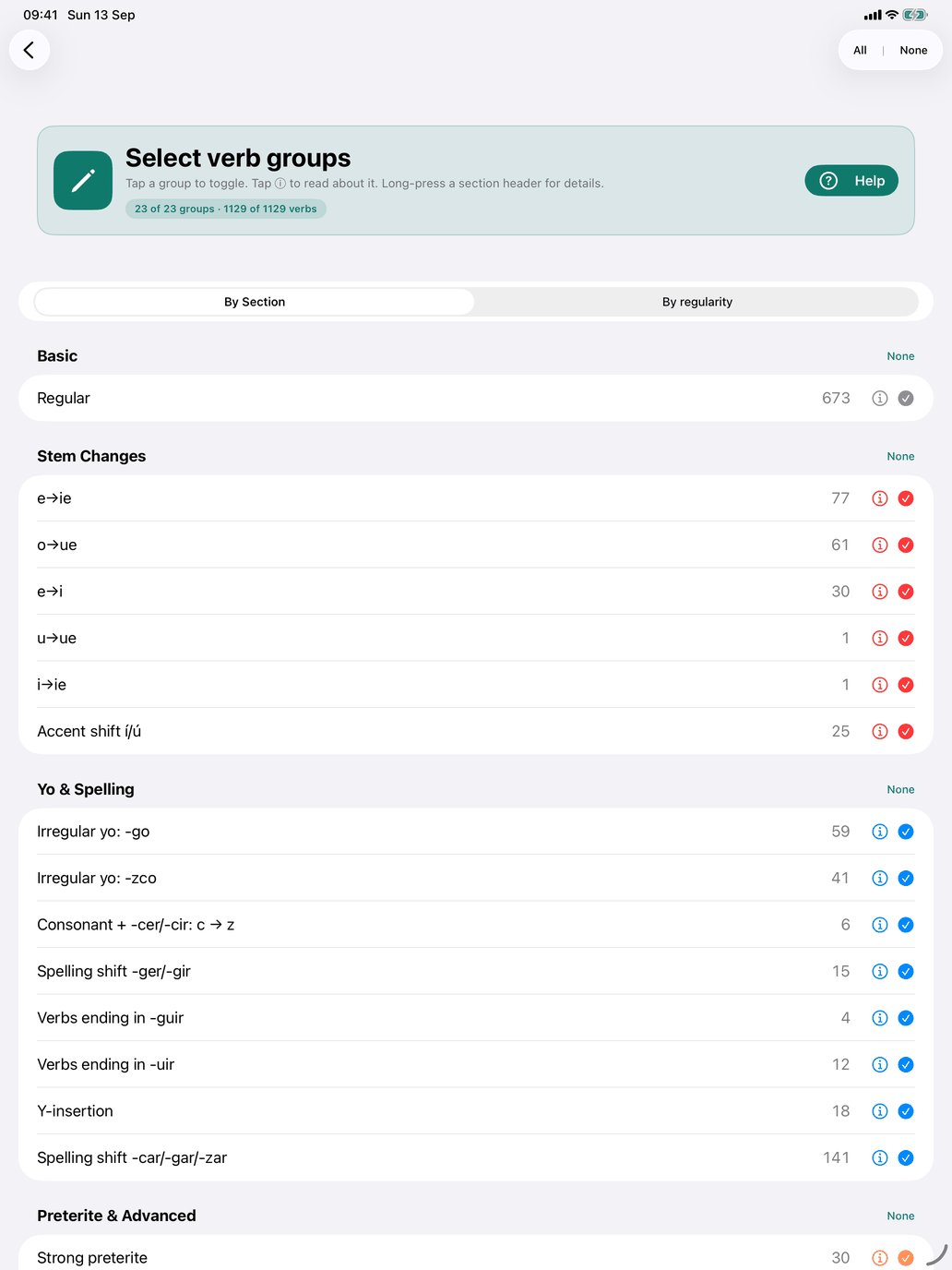
Select verb groups chooses which verbs you practise, by their grammatical character rather than one by one. The screen does not set level or topic: those are global, and the Select word scope row near the top takes you to them (its second line says All topics and levels or Filtered by topic or level).
The banner at the top keeps a running count of what you have chosen, e.g. "23 of 23 groups · … · 212 in scope", with the number of selected verbs in the middle: how many groups are ticked, how many verbs those groups cover in the whole catalogue, and how many of those are left once your word scope is applied. The last number is what the drills draw from.
Tap a row to tick or untick it. Each row shows how many verbs are in the group, and its ⓘ opens the group's explanation (see Verb group badges and info sheets under Conjugation tables). Each section header has an All / None button, and All | None at the top right ticks or clears every group at once. Long-press a section header (on the Mac, click and hold) for an explanation of the whole section.
A verb usually belongs to more than one group, and it is in your pool when any of its groups is ticked. Lavarse, for example, is both Regular and Reflexive, so ticking Regular alone already includes it.
If you leave the screen with nothing ticked, the app warns you — "No verb groups selected" — and offers Stay and select or Go back anyway.
By Section
The first view lists the 23 groups under five sections:
| Section | Groups |
|---|---|
| Basic | Regular |
| Stem Changes | e→ie, o→ue, e→i, u→ue, i→ie, Accent shift í/ú |
| Yo & Spelling | Irregular yo: -go, Irregular yo: -zco, Consonant + -cer/-cir: c → z, Spelling shift -ger/-gir, Verbs ending in -guir, Verbs ending in -uir, Y-insertion, Spelling shift -car/-gar/-zar |
| Preterite & Advanced | Strong preterite, Irregular participle, Irregular future stem, Irregular |
| How the verb is used | Reflexive, Impersonal, Me gusta pattern, Stative |
Stem Changes holds the five vowel changes plus Accent shift í/ú — verbs like enviar, confiar, actuar and continuar, whose stem vowel takes a written accent where the spoken stress falls on it (envío, actúe). Nosotros and vosotros keep the stress on the ending and take no accent (enviamos).
Irregular is for the verbs no pattern explains, such as ser and ir. Irregular participle (abrir → abierto) and Irregular future stem (tener → tendré, tendría) have their own groups, so a verb that is regular apart from these is not filed beside ser.
How the verb is used is different in kind: none of its four groups changes an ending. They describe how the verb is built into a sentence — with a reflexive pronoun, only in the third person, with the me gusta construction, or (stative) not in the progressive.
By regularity
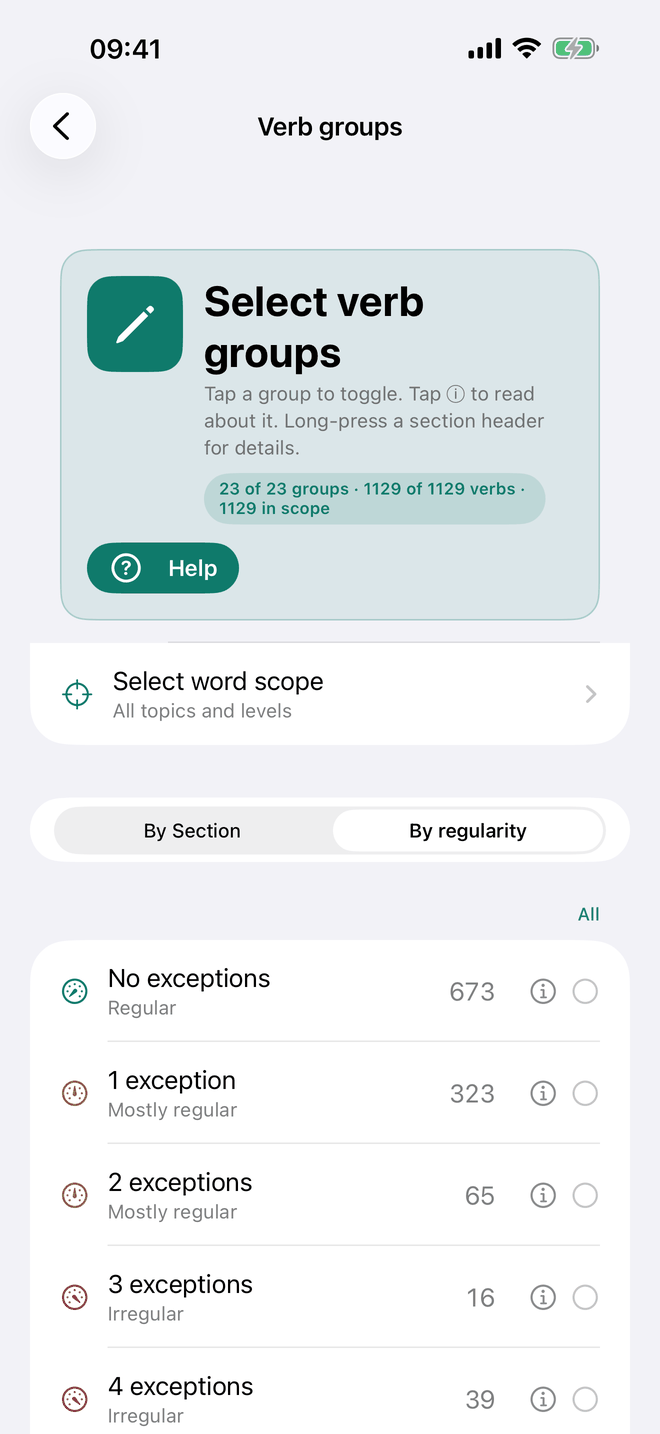
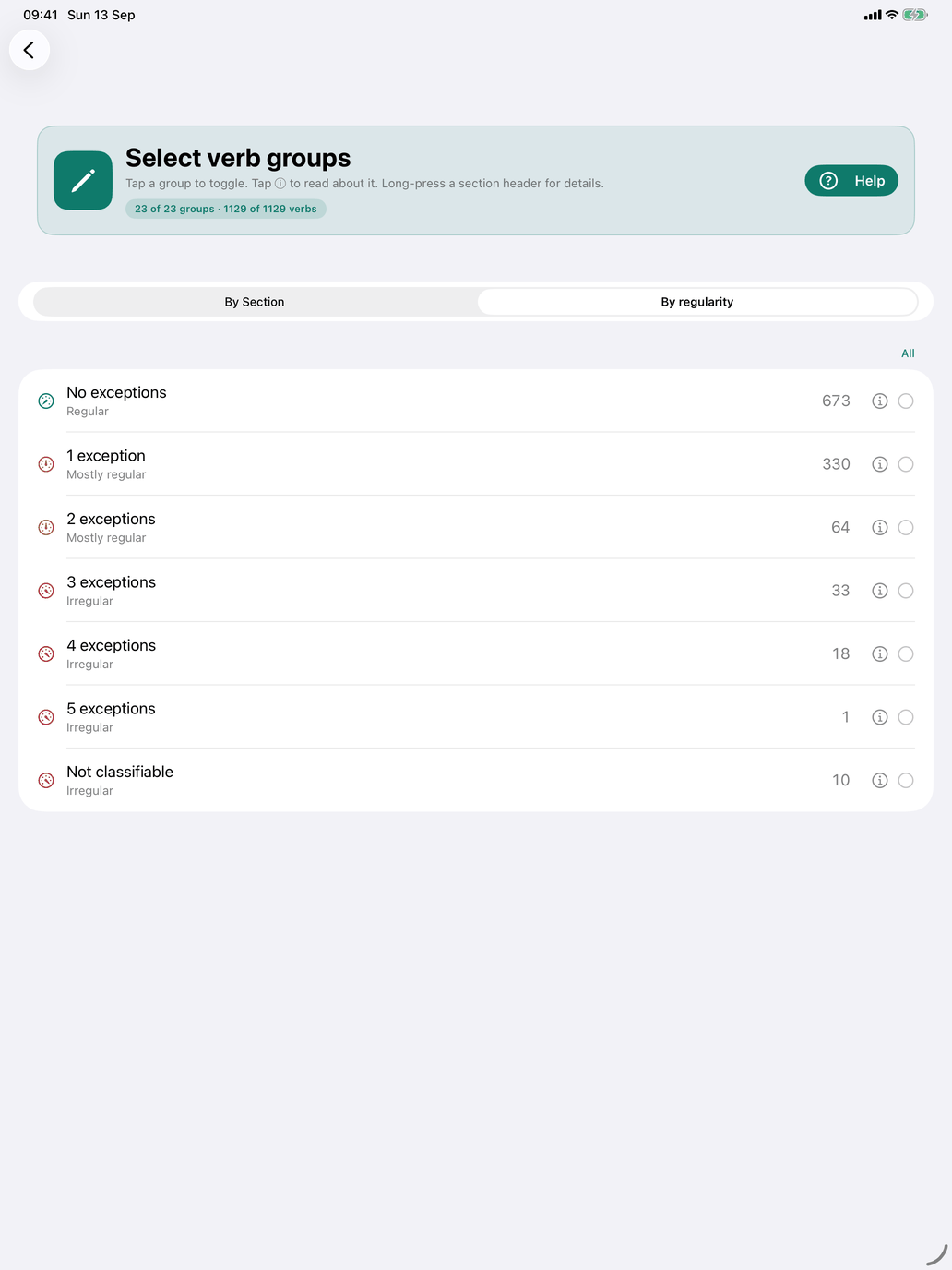
The second view asks a different question: not which pattern, but how many. It lists flat rows — No exceptions, 1 exception, 2 exceptions and so on — and a last row, Not classifiable, for the verbs no pattern accounts for. Each row is labelled Regular, Mostly regular (one or two exceptions) or Irregular.
Tick 2 exceptions and you get every verb that asks you to remember two things beyond its endings, whichever two they are: almorzar is o→ue and a -zar spelling shift, salir takes -go and a shortened future stem, and both are 2.
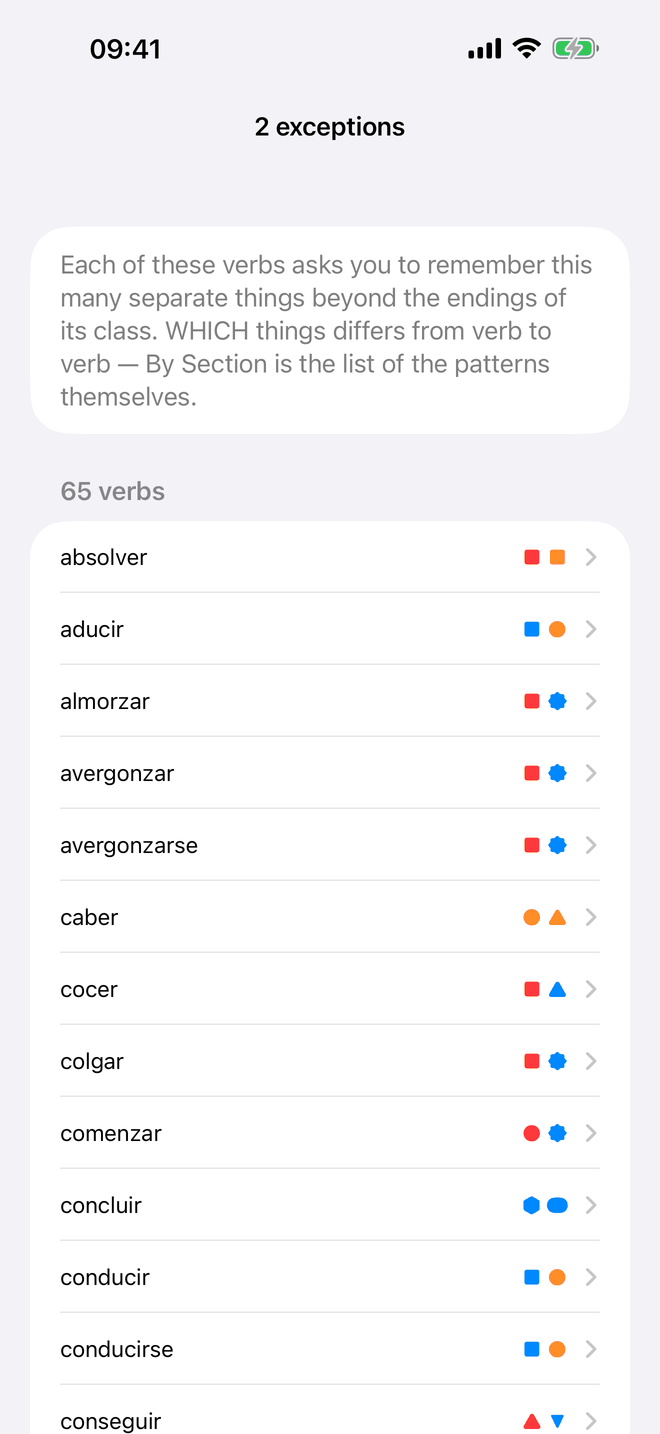
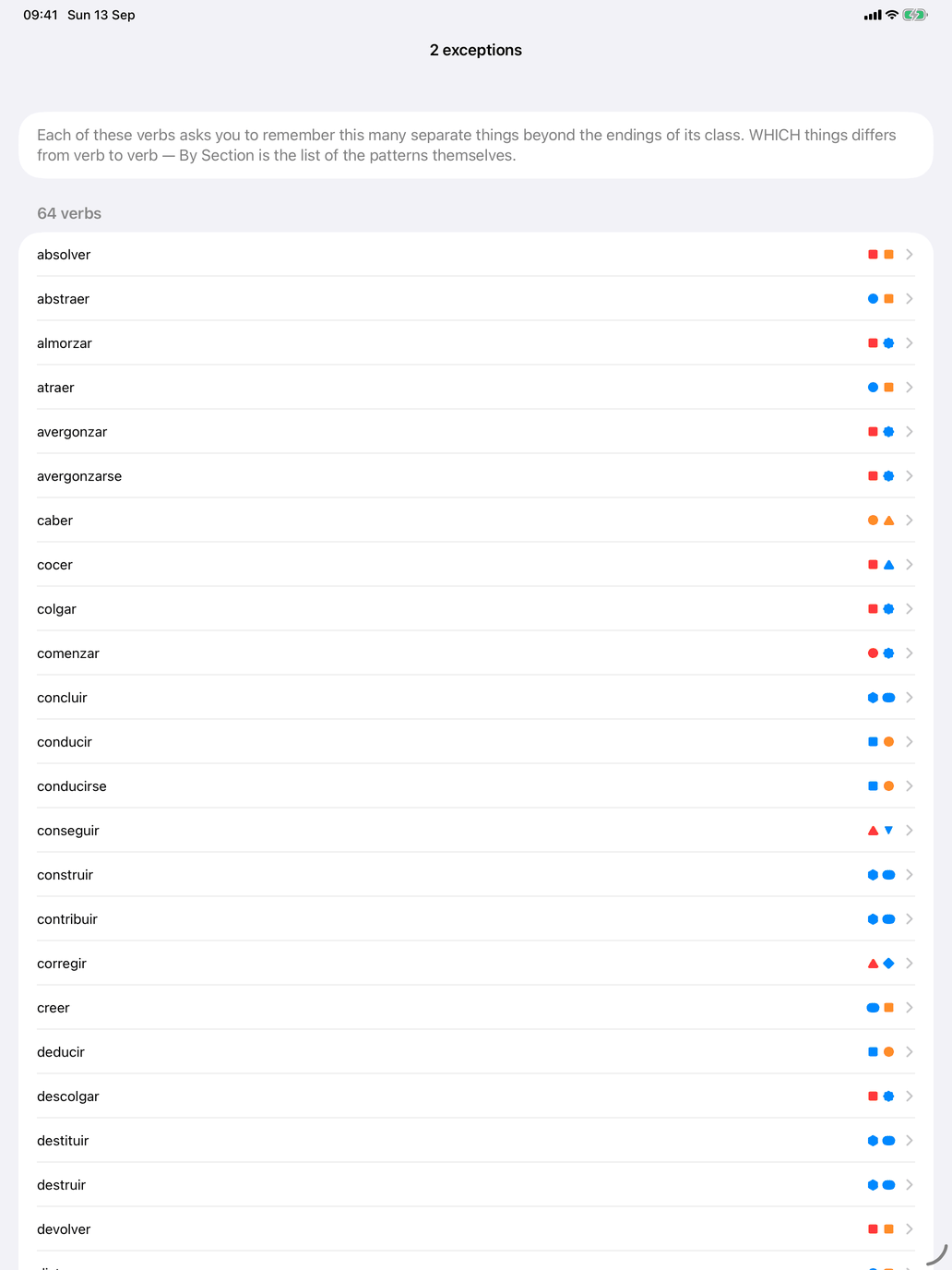
Each row's ⓘ explains the row and lists its verbs, each with a mark for every exception it has and a legend underneath, so you can see what the number is made of before you commit to it. Tap a verb there to open it.
Ticks in the two views add up: a verb is in your pool if it matches a ticked group or a ticked exception count.
Seeing which verbs you ended up with
This screen chooses patterns; it does not list the verbs they match. To see the resulting pool, open Verb reference on the verbs hub.