Select noun groups
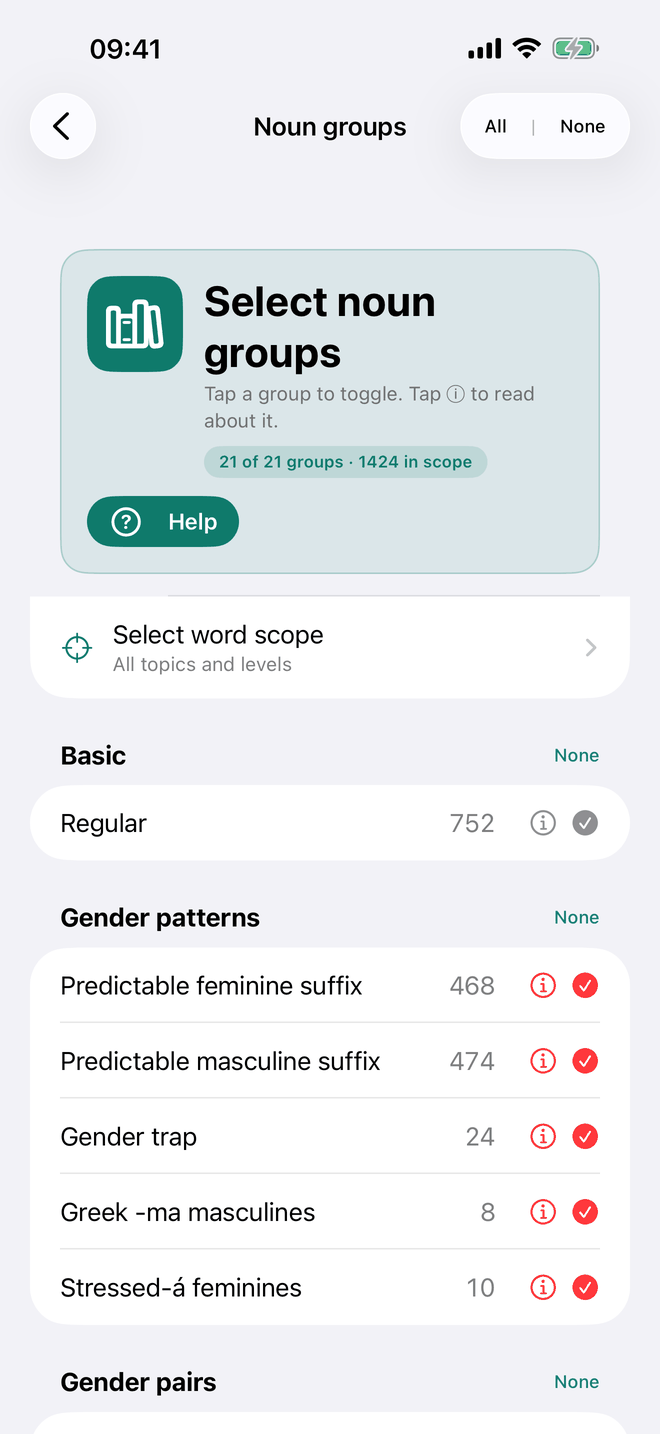
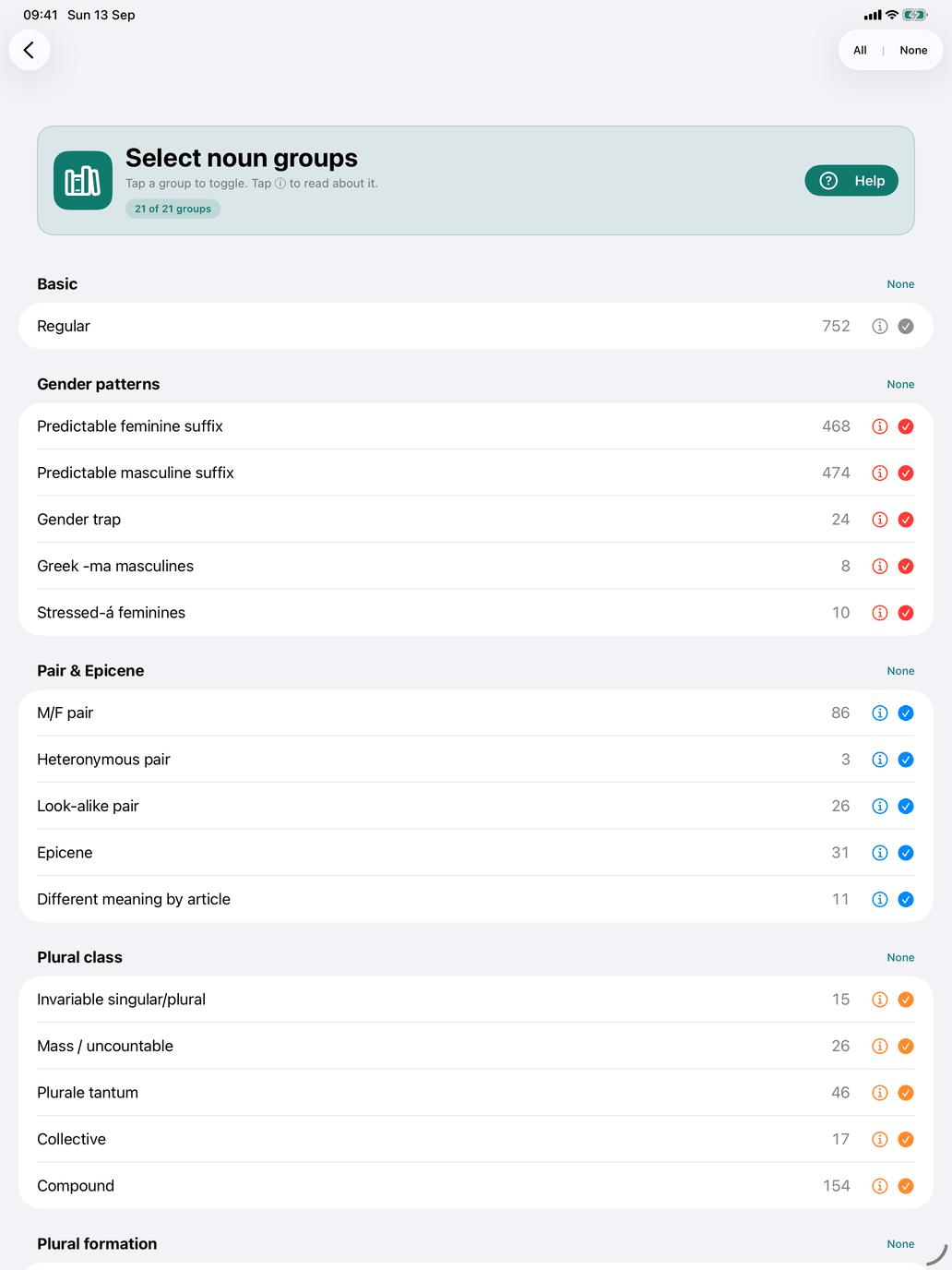
Select noun groups decides which nouns can appear in Noun meaning, Pick the correct article and Singular / Plural. Nouns are grouped by their grammatical character, not by vocabulary. CEFR level and topic are global filters for every word type, set in Self Study → Select word scope. There is no frequency filter in Self Study.
A noun can belong to several groups at once. Lápiz, for example, is in Plural -z → -ces, and canción is in both Predictable feminine suffix and Accent shift in plural. A group filter therefore gives you a focused set of nouns for exactly the pattern you want to practise. A noun is in your selection when any of its groups is ticked.
The 21 groups are arranged in six sections:
- Basic — Regular: nouns with no special gender, plural or learning quirk. Most everyday vocabulary is here.
- Gender patterns — Predictable feminine suffix (-a, and the reliable -ción, -sión, -dad, -tad, -umbre), Predictable masculine suffix (-o, and -or, -aje, -ón, -án, -ín), Gender trap (the gender contradicts the ending: la mano, el día), Greek -ma masculines (el problema, el idioma) and Stressed-á feminines (feminine nouns that take el in the singular: el agua, las aguas).
- Gender pairs — M/F pair (el tío / la tía), Heteronymous pair (a different word for each gender: el padre / la madre), Look-alike pair (two separate words that differ only in the final vowel: el puerto / la puerta), Epicene (one form for both genders: el / la dentista) and Different meaning by article (el capital / la capital).
- Plural class — Invariable singular/plural (el lunes / los lunes), Mass / uncountable, Plurale tantum (only used in the plural: los pantalones), Collective (a plural that covers both members of a pair: los tíos) and Compound (el paraguas).
- Plural formation — Plural -z → -ces (lápiz → lápices), Accent shift in plural (canción → canciones), Plural consonant + -es and Stem-change plural.
- Traps — False cognate: words that look like a word in your own language but mean something else.
Using the screen
- Tap a group's row to include or exclude it. Each row shows how many nouns it contains.
- Tap ⓘ on a row to open the group's info sheet: what the group covers, an example, and the nouns that belong to it.
- All and None at the top select or clear every group at once.
- An unticked group can show a note such as "12 still in scope via Regular": those nouns are already in your selection through another group you have ticked.
- The line at the top shows how many groups you have ticked and how many nouns that gives you within your word scope. The Select word scope row below it takes you to the level and topic filters.
- If you leave the screen with no group ticked, the app warns you that every noun drill will be empty. Choose Stay and select or Go back anyway.
Selection and session size
These are two separate things:
- Your selection is the set of nouns that can appear in a drill — the result of the groups and scope above. It might hold 200 nouns.
- Your session size is how many questions one session asks: Questions per session in Settings → Study (10, 20, 30, 50, or ∞ to keep going until you stop).
The drills that follow your selection all use the same selection, so a change here applies to each of them.