Conjugation tables
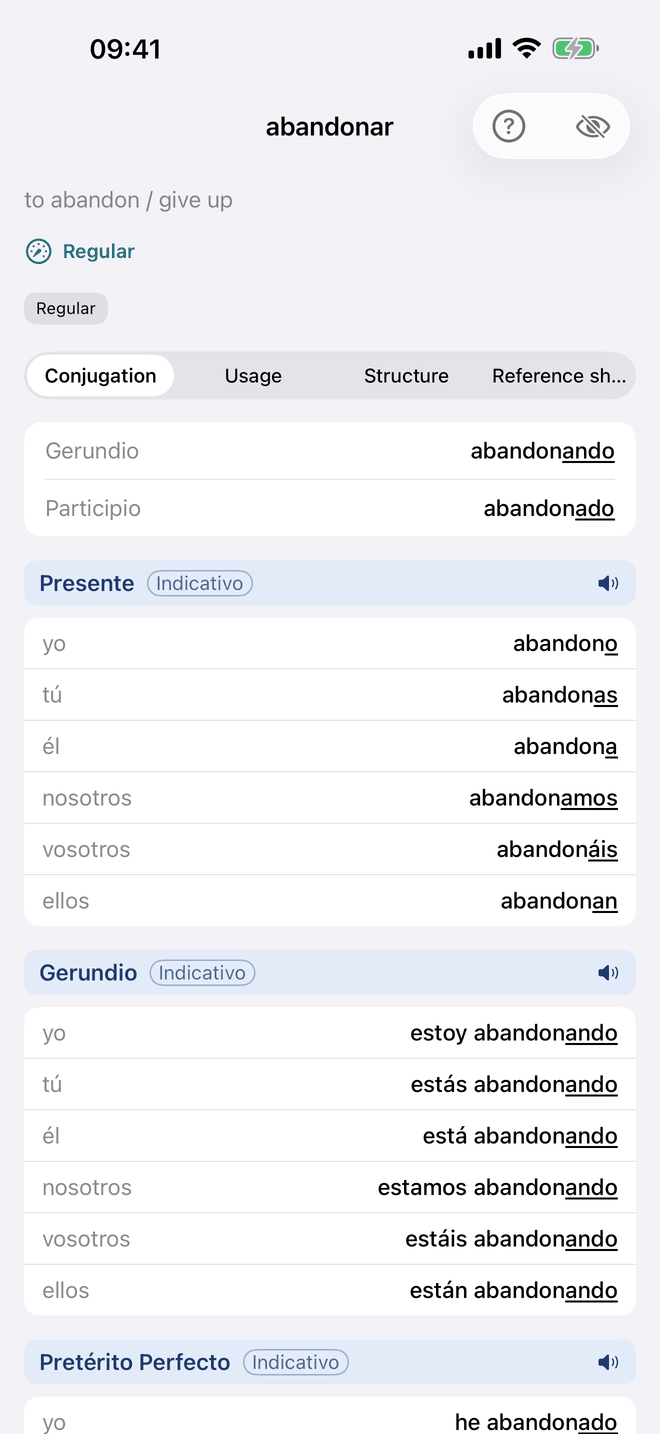
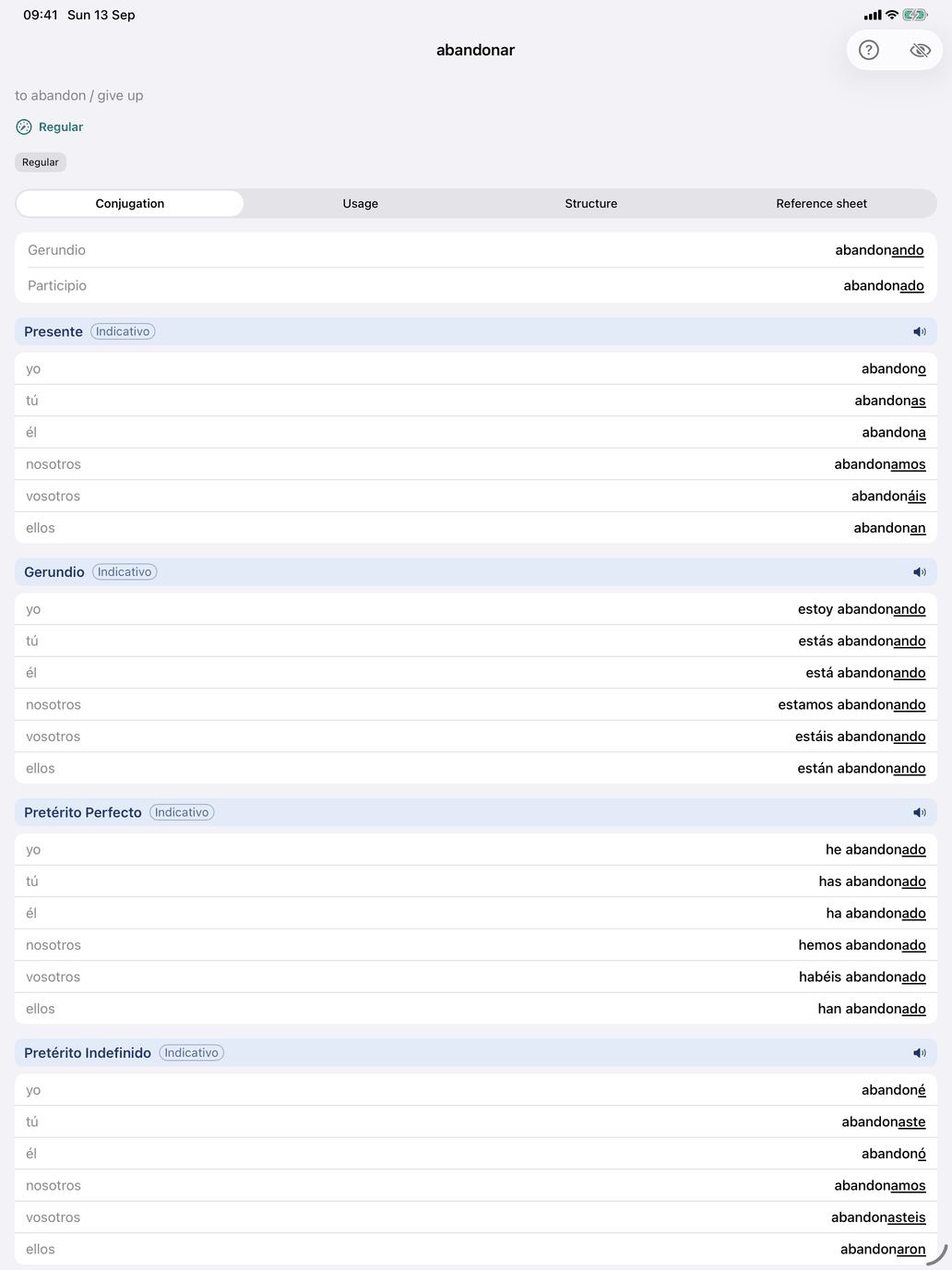
Tap any verb in Verb reference to open its detail screen. The same screen opens from a verb group's list of verbs, from Look up, and from the verb lists behind the ⓘ buttons on Select verb groups.
The header
Above the tabs you see what the verb means and what kind of verb it is:
- the translation of the infinitive (on the Mac, beside the infinitive in the title bar);
- a regularity line — Regular, Mostly regular or Irregular, with a count such as "2 things beyond the pattern", or "No pattern explains this verb" for verbs like ser;
- the group badges — see Verb group badges and info sheets below;
- for verbs that conjugate exactly like another, a family note: "Conjugates exactly like tener, as do …", or, on the base verb, the list of verbs that follow it.
Below that, four tabs: Conjugation · Usage · Structure · Reference sheet. The screen opens on Conjugation.
Conjugation
The Conjugation tab starts with the Gerundio and Participio, each marked irregular where it is. Below them comes one table per tense — only the tenses you have selected in Select tenses; if none are selected, the tab tells you so. Each table lists the persons with their forms, and the speaker icon on its header reads the whole tense aloud.
Where a verb has authored translations, a toolbar button shows a translation under every conjugated form. For verbs with a second meaning, a second button switches all the translations on the page to that meaning.
For gustar-type verbs the tables also show The me gusta use — the forms that agree with the thing liked — beside the forms With an ordinary subject.
The conjugation colour code
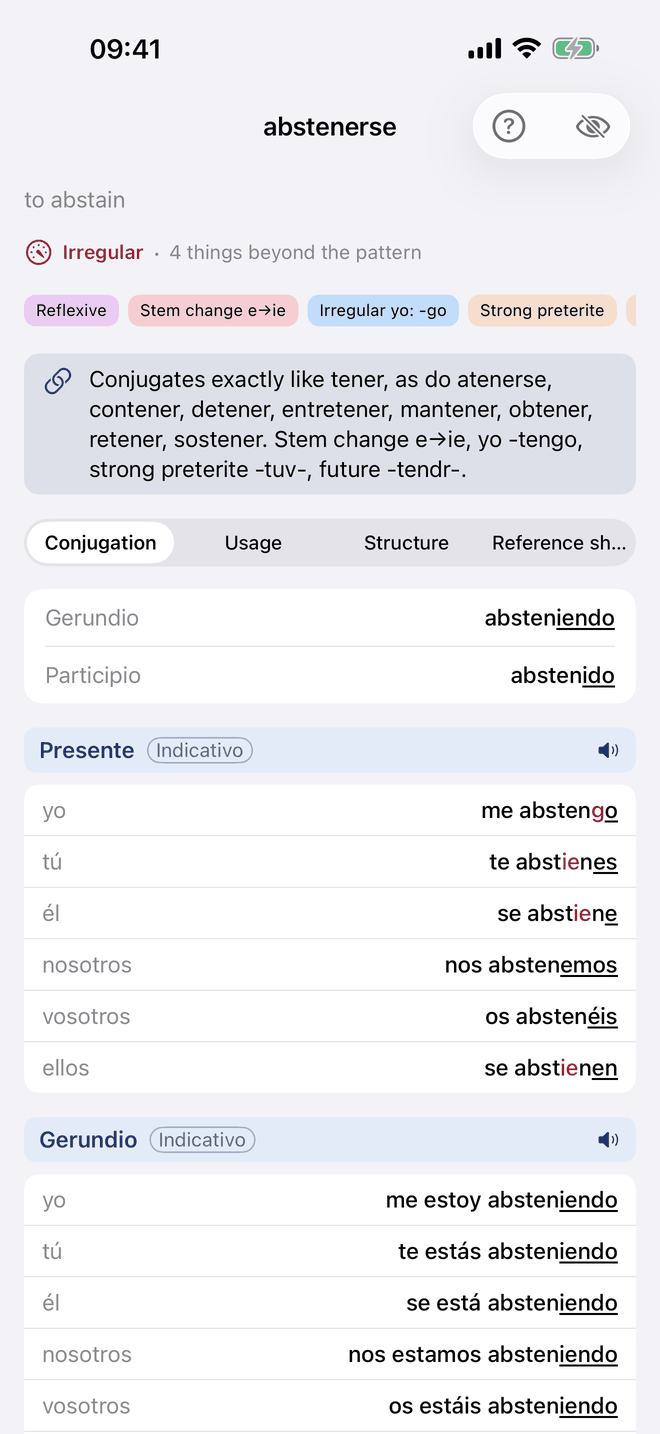
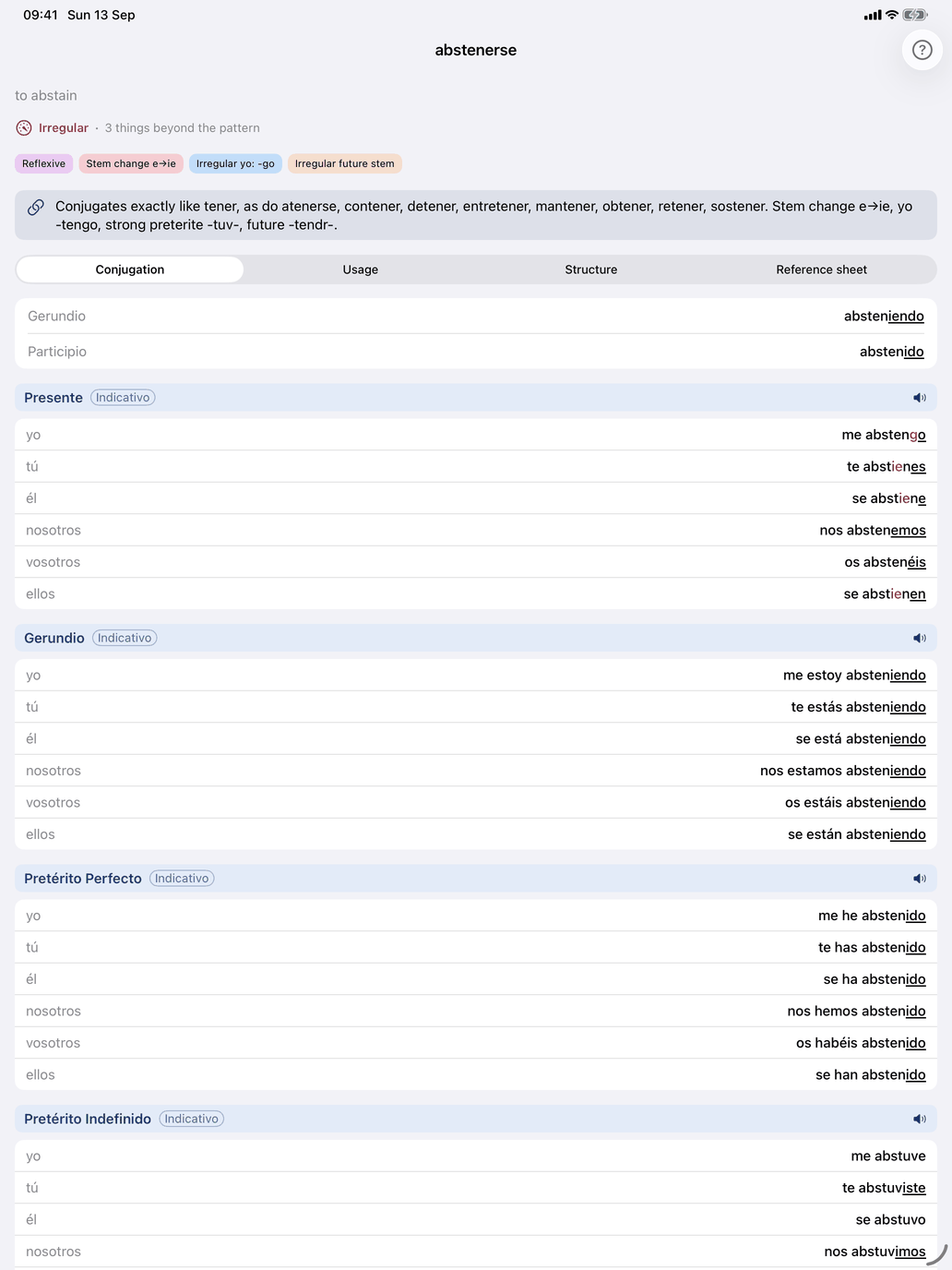
Irregular forms are colour-coded so you can see at a glance exactly where a verb departs from the regular pattern, and by how much.
- No colour — regular. The form is stem plus the standard ending. The ending is underlined: that is the part the pattern predicts.
- Red partial highlight — something changed within the form. Only the part that departs is red; the rest stays in the normal colour, and a regular ending is still underlined. For example:
- Stem changes: the changed vowel is red. Poder (o→ue) shows puedo, puedes, puede with ue in red, while podemos and podéis have no highlight because their stem does not change.
- Yo-form irregularities: only the inserted letters are red — the g of tengo, the z of conozco.
- Y-insertion: the inserted y is red — leyó, construyo.
- Spelling shifts: the adjusted letters are red, as in jugué — a red u beside an underlined -é.
- Accent shift: the accented í or ú is red — envío.
- Irregular future and conditional stem: the shortened stem is red — tendr- in tendré and tendría — and the ordinary endings after it are not.
- Full red — completely irregular. The whole form is red when it has no systematic connection to the regular pattern and must be learned as a whole: soy, eres, es and voy, vas, va, the imperfect era and iba, and irregular participles such as dicho and hecho, which are red in every compound tense.
- Red stem + blue ending — strong preterite. Strong preterites get two colours because there are two things to learn. The irregular stem is red (estuv-, pud-, vin-), and the ending is blue: strong preterites share their own ending set (-e, -iste, -o, -imos, -isteis, -ieron), which differs from the regular preterite and carries no written accent. Blue is used for nothing else.
Usage
The Usage tab shows the verb in use:
- Extended meaning — for verbs with several distinct senses, a numbered list of them.
- Tense Examples — example sentences in the tenses you have selected, each with its tense, its translation and a speaker button. The first three are shown; Show more tenses reveals the rest. Tap a tense name to see that tense's conjugation in a sheet.
- Example sentences — further examples with translations, folded away; the badge shows how many there are.
- Details — folded away: notes such as "Stative verb — not normally used in the progressive (estar + gerundio)." or "Impersonal — typically used only in the third person singular.", and the verb's Level and Topics.
- Dictionaries — buttons that look the verb up in external online dictionaries.
Structure
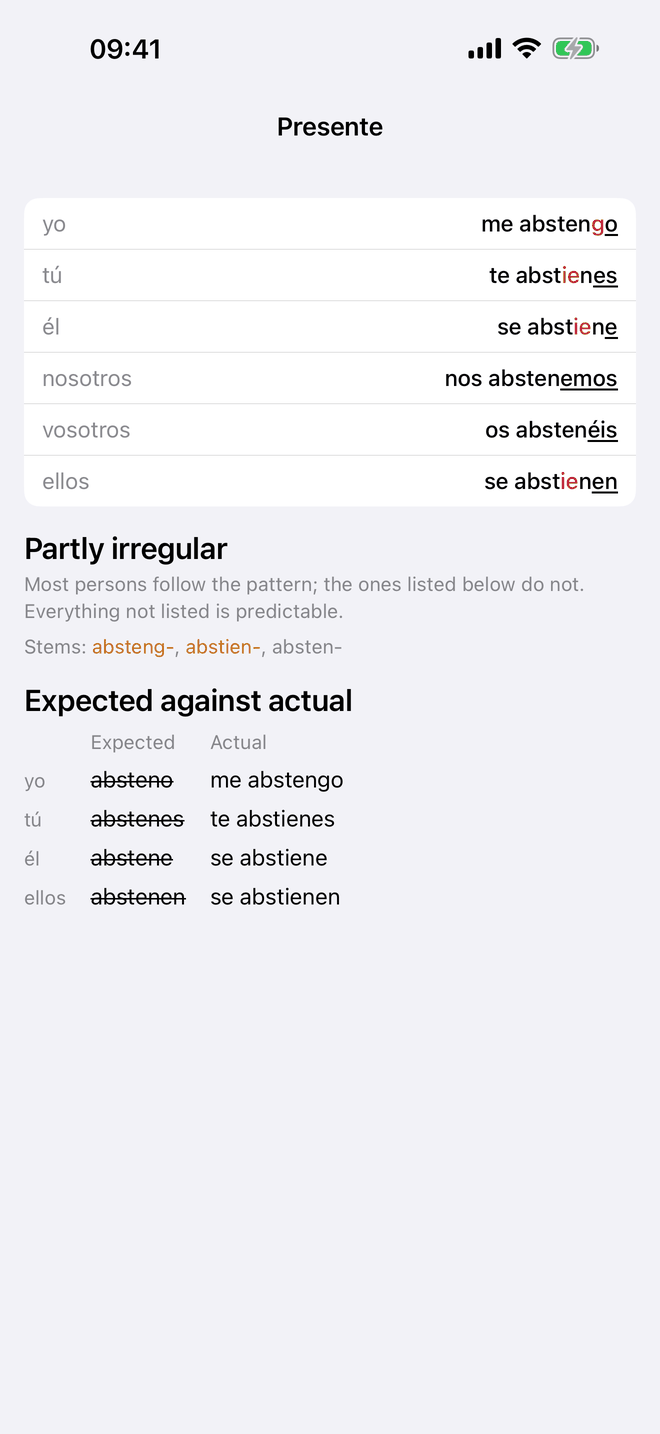
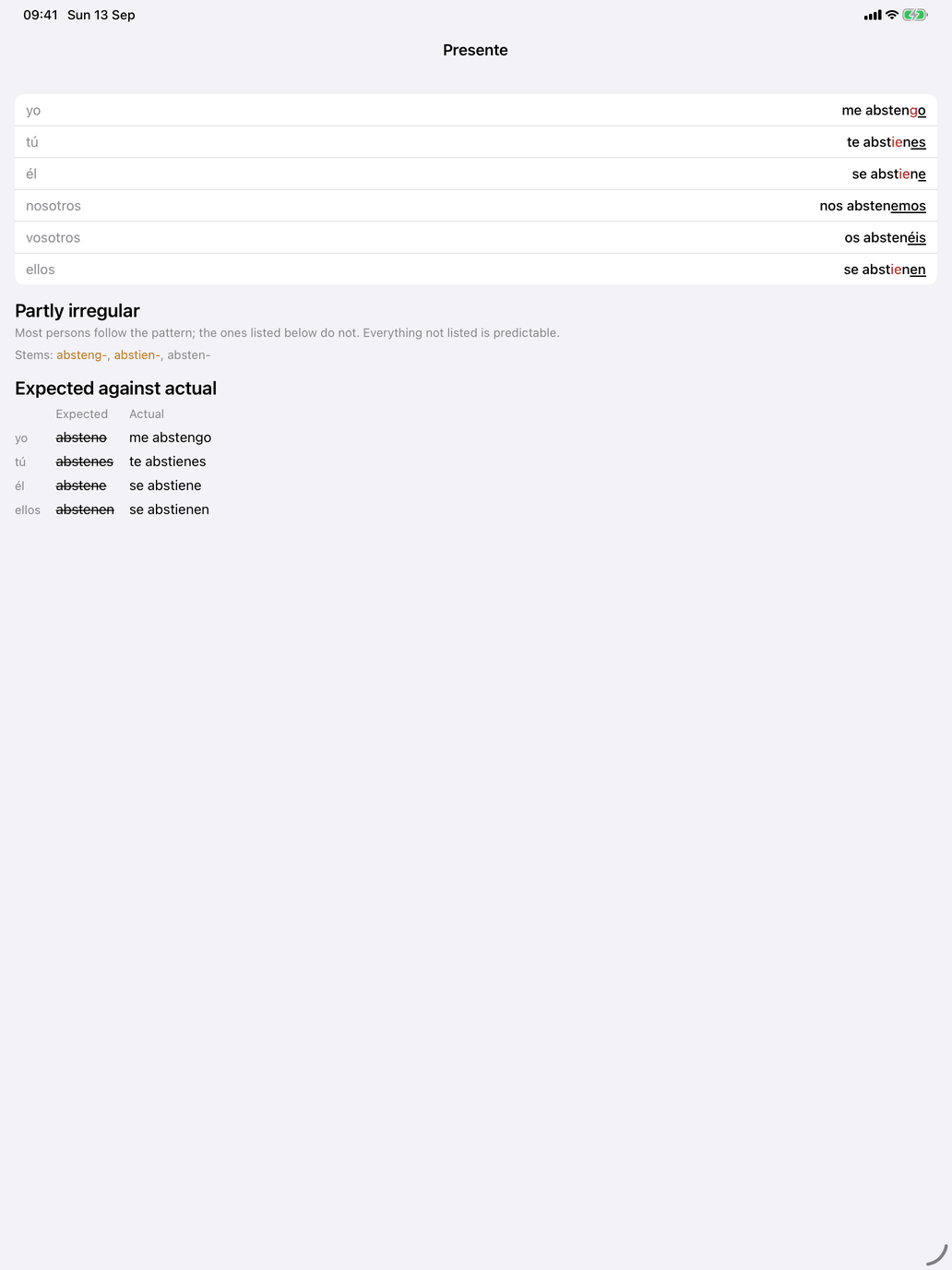
Structure reads the same verb tense by tense: which tenses it forms predictably, and where it departs. Every tense has a coloured dot and a verdict — Regular, Regular endings, Partly irregular, Irregular, No regular pattern or Not used — with the persons that depart listed under a partly irregular tense.
Under each tense is the stem it is built on. A stem you have to learn is in amber; so is a single form that carries a whole tense, such as the participle dicho for the compound tenses. That is why decir's pretérito indefinido reads Regular endings: the endings are the ordinary strong-preterite set, and the amber stem dij- is the thing to learn. The two colours answer different questions: amber on Structure names a whole stem or form to memorise, and red on Conjugation marks the letters of one form that departed.
The filter button in the toolbar hides the tenses that ask nothing of you, which turns a long paradigm into the short list of things worth memorising; for a fully regular verb it says there is nothing to single out. Tap a tense to see its expected and actual forms side by side.
Reference sheet
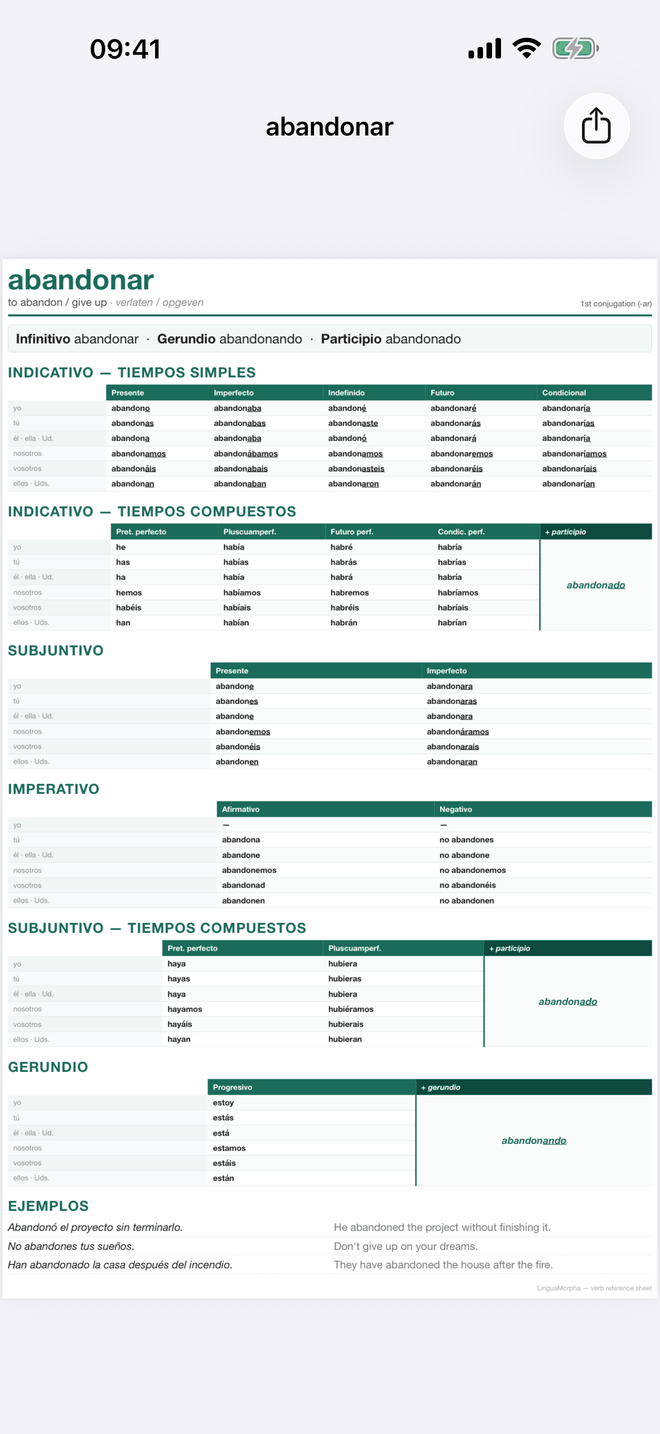
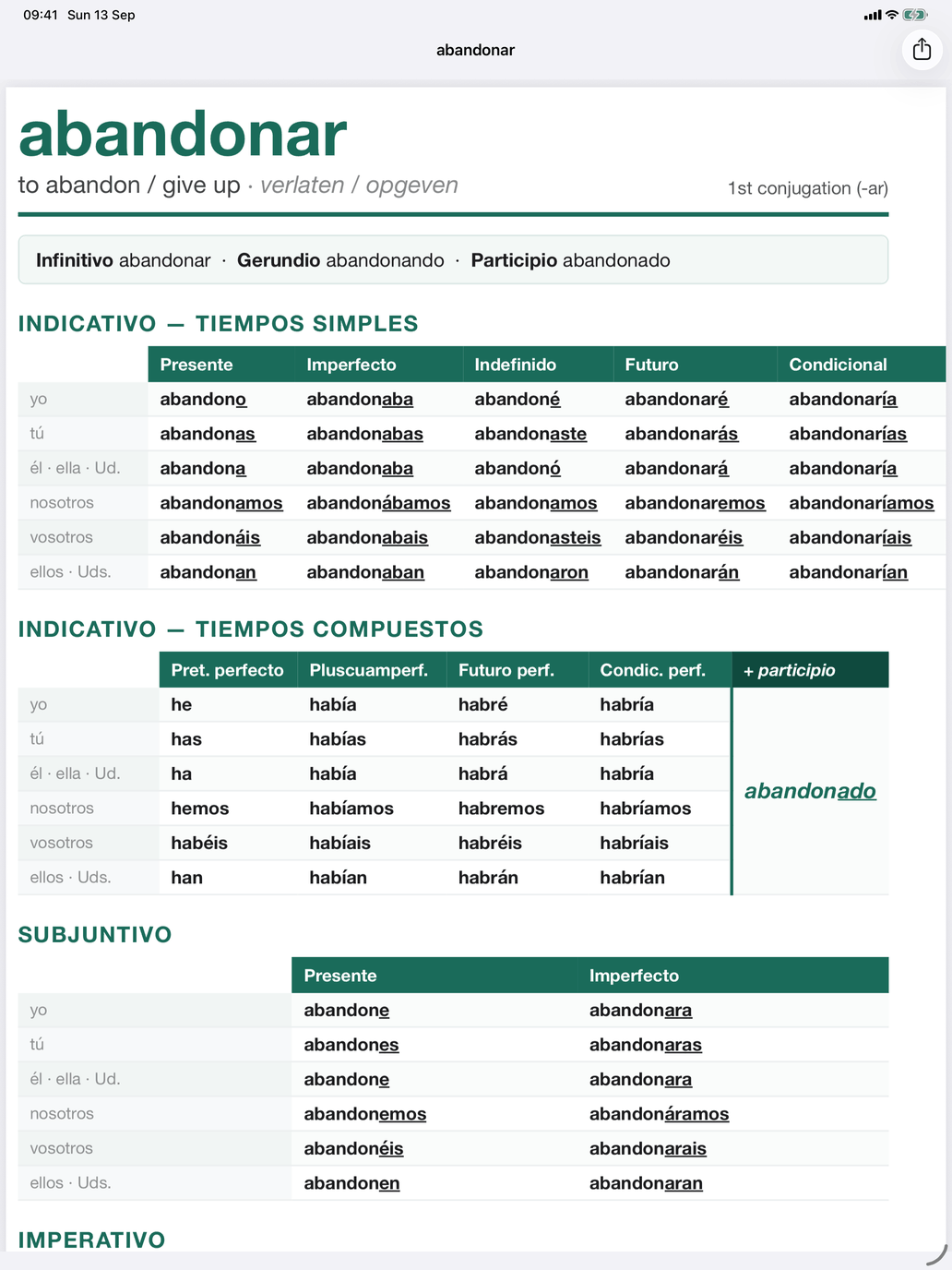
Reference sheet is a one-page printable PDF of the verb's forms. On iPhone and iPad, the share button sends, saves or prints it; on the Mac, the toolbar menu offers Copy and Save as….
Verb group badges and info sheets
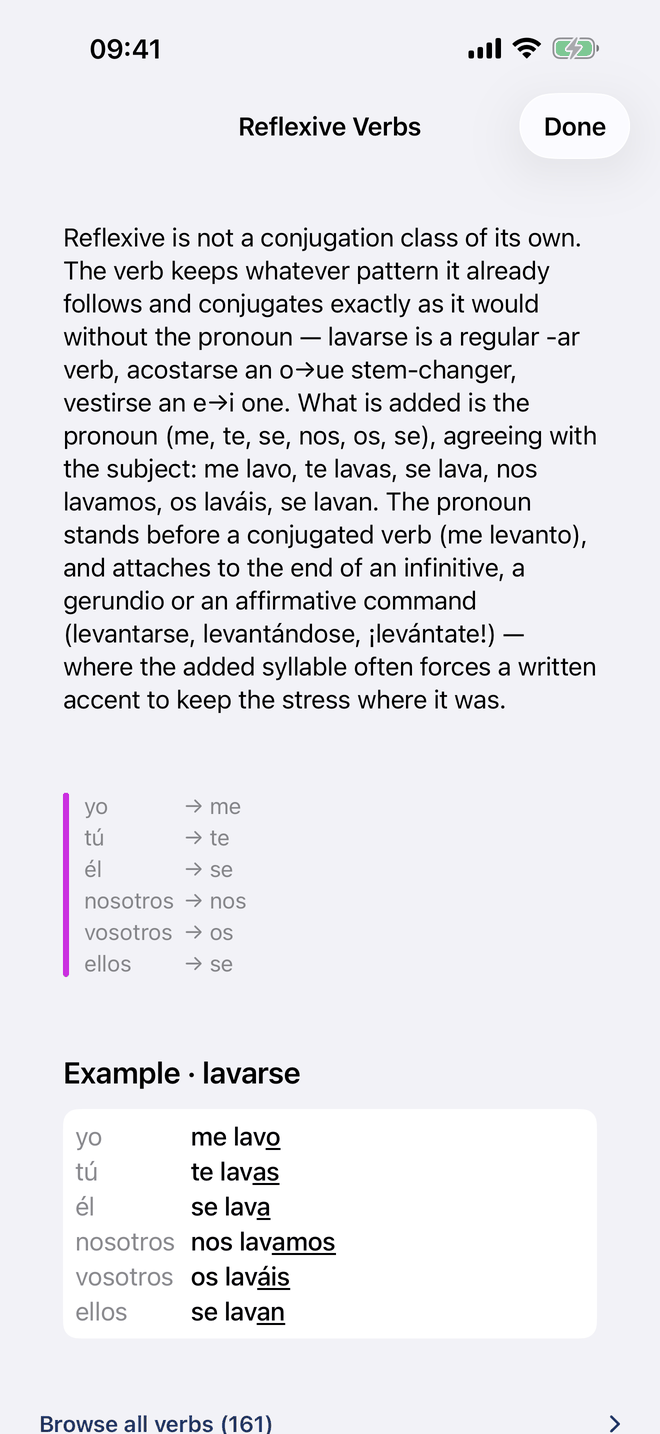
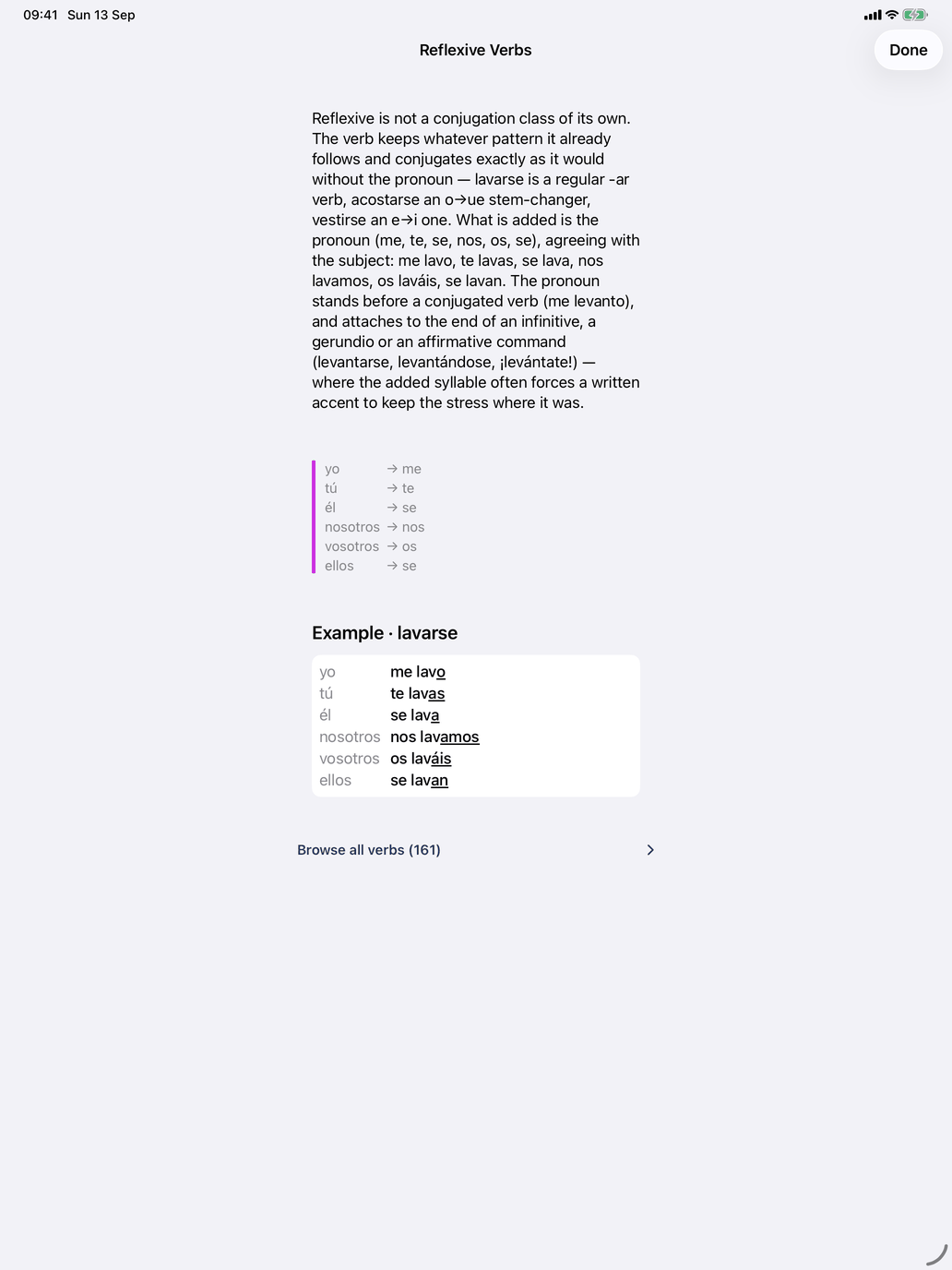
The badges in the header name the groups the verb belongs to — for example Stem change e→ie, Irregular yo: -go or Reflexive. They are coloured by section: grey for Regular, red for stem changes, blue for yo and spelling changes, orange for strong preterites, irregular participles and future stems and the fully irregular verbs, purple for the How the verb is used groups.
Tap a badge to open the group's information sheet: a plain-language explanation of the pattern, a note on which persons it affects where that applies, a worked example table, and Browse all verbs with the number of verbs in the group. The same sheet opens from the ⓘ on Select verb groups and from Verb groups under Theory.
Tip: In Produce the conjugation and Recognise the conjugation, the book icon on the card shows the verb's table for the tense being asked — useful right after a wrong answer.