Latin screenshots
Screens from the Latin module, iPhone and Mac. Every one is described in the Latin user guide.
Declensions
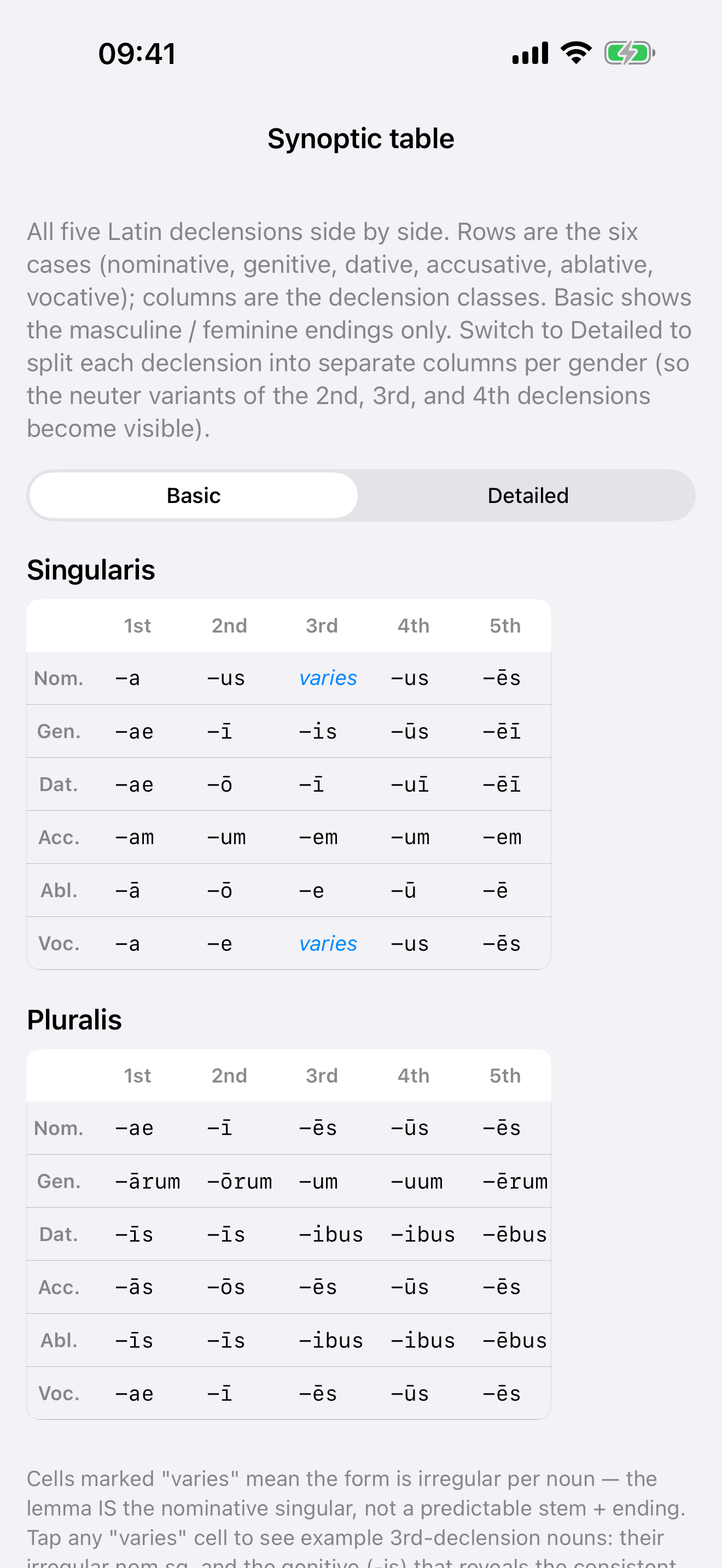 All five declensions, side by side
The endings of all five declensions in one grid, singular and plural. Switch to Detailed for separate neuter columns.
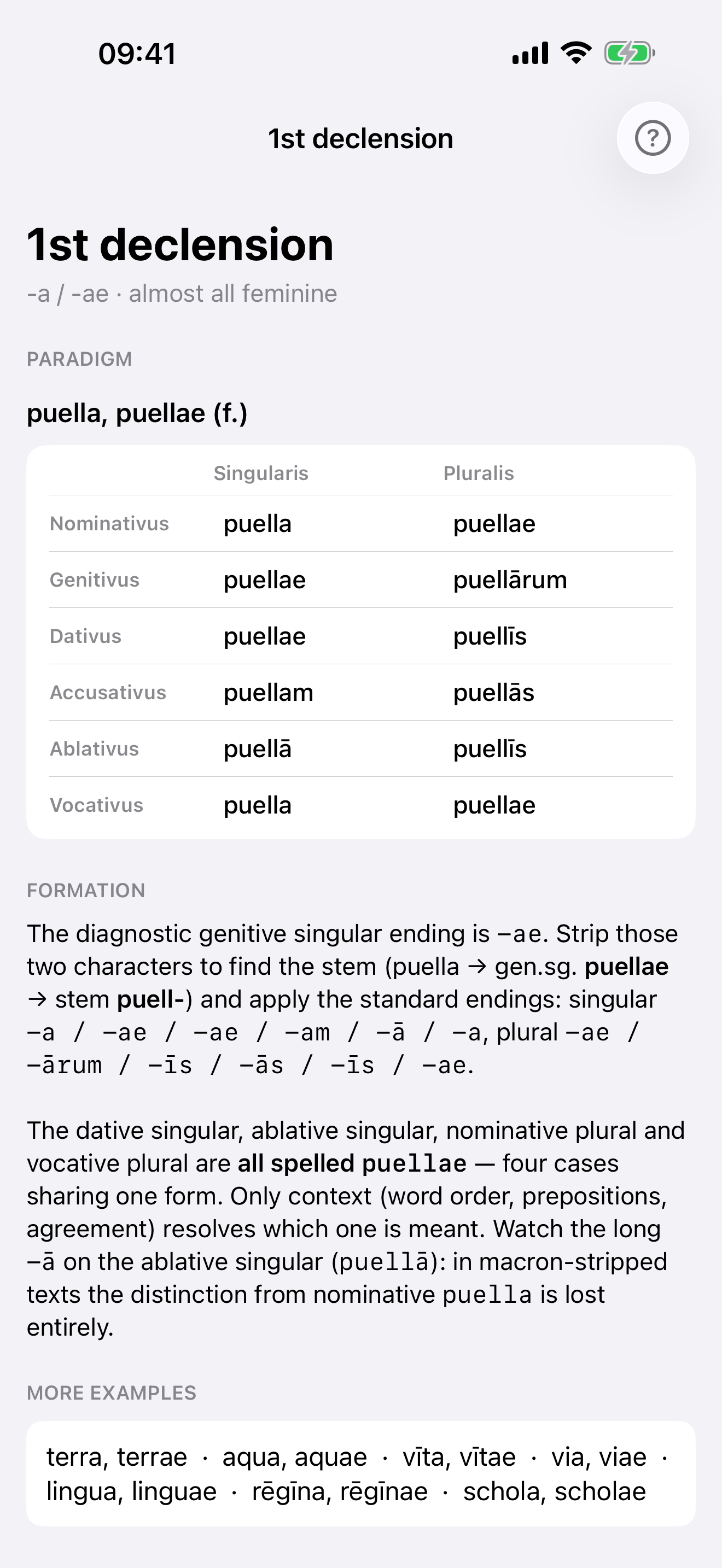 One declension in full
The paradigm of a model noun, how the stem is found and the endings applied, the cases that share a spelling, and more examples.
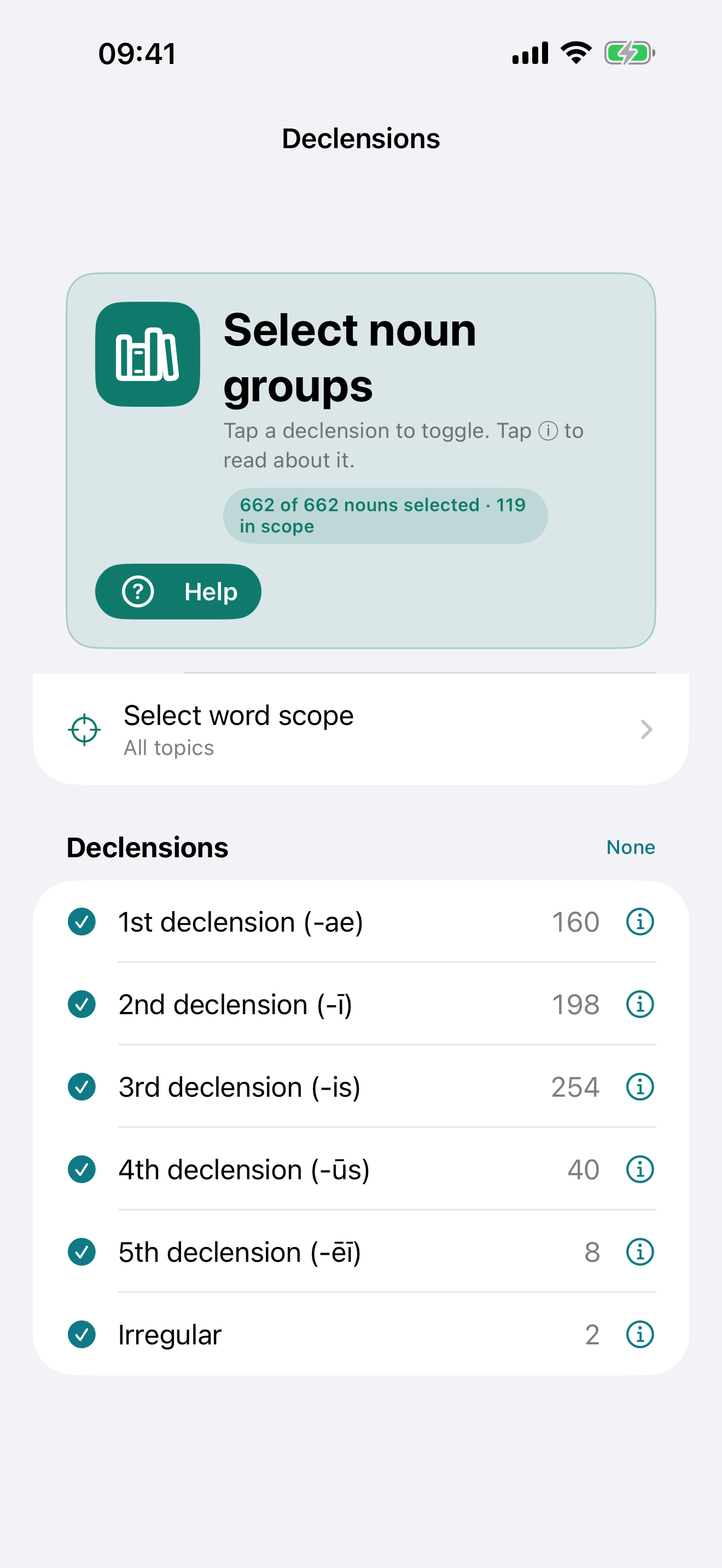 Choose what to drill
Tick the declensions in play, from the 1st to the 5th and the two irregular nouns; the count shows how many nouns your selection gives you.
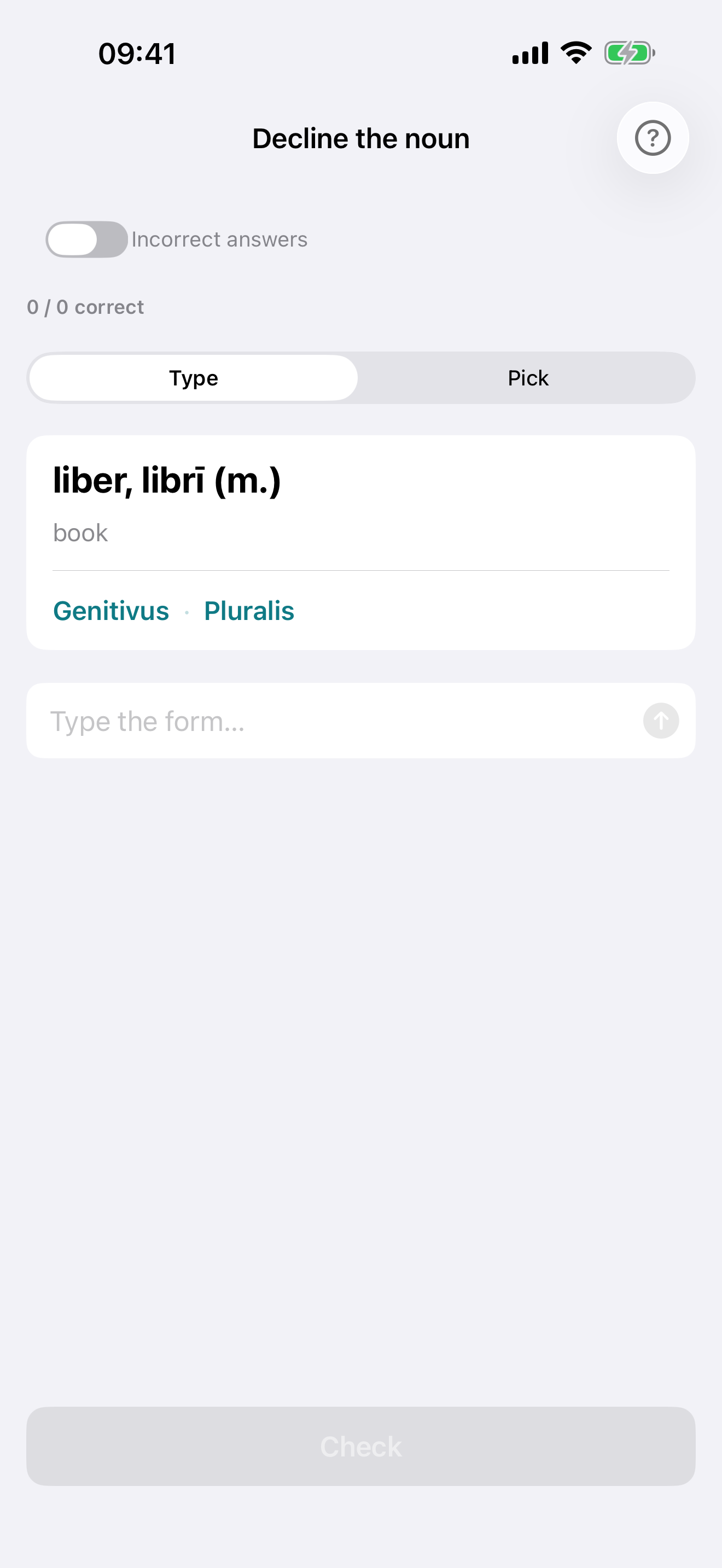 Decline the noun
Produce the form that the case and number ask for — type it, or pick it from a list — with macron checking as lenient or as strict as you choose.
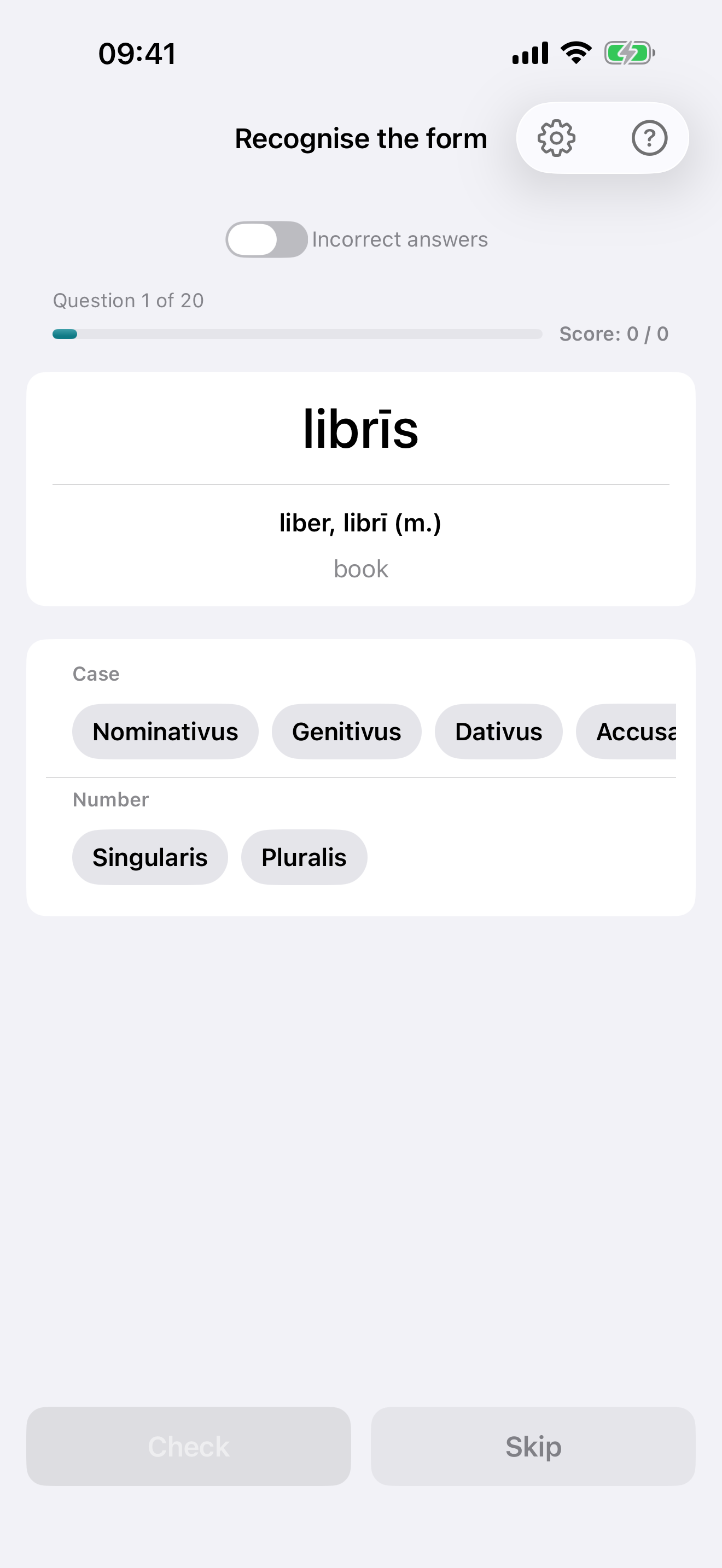 Recognise the form
A form appears; name its case and number. Every correct analysis of an ambiguous form counts.
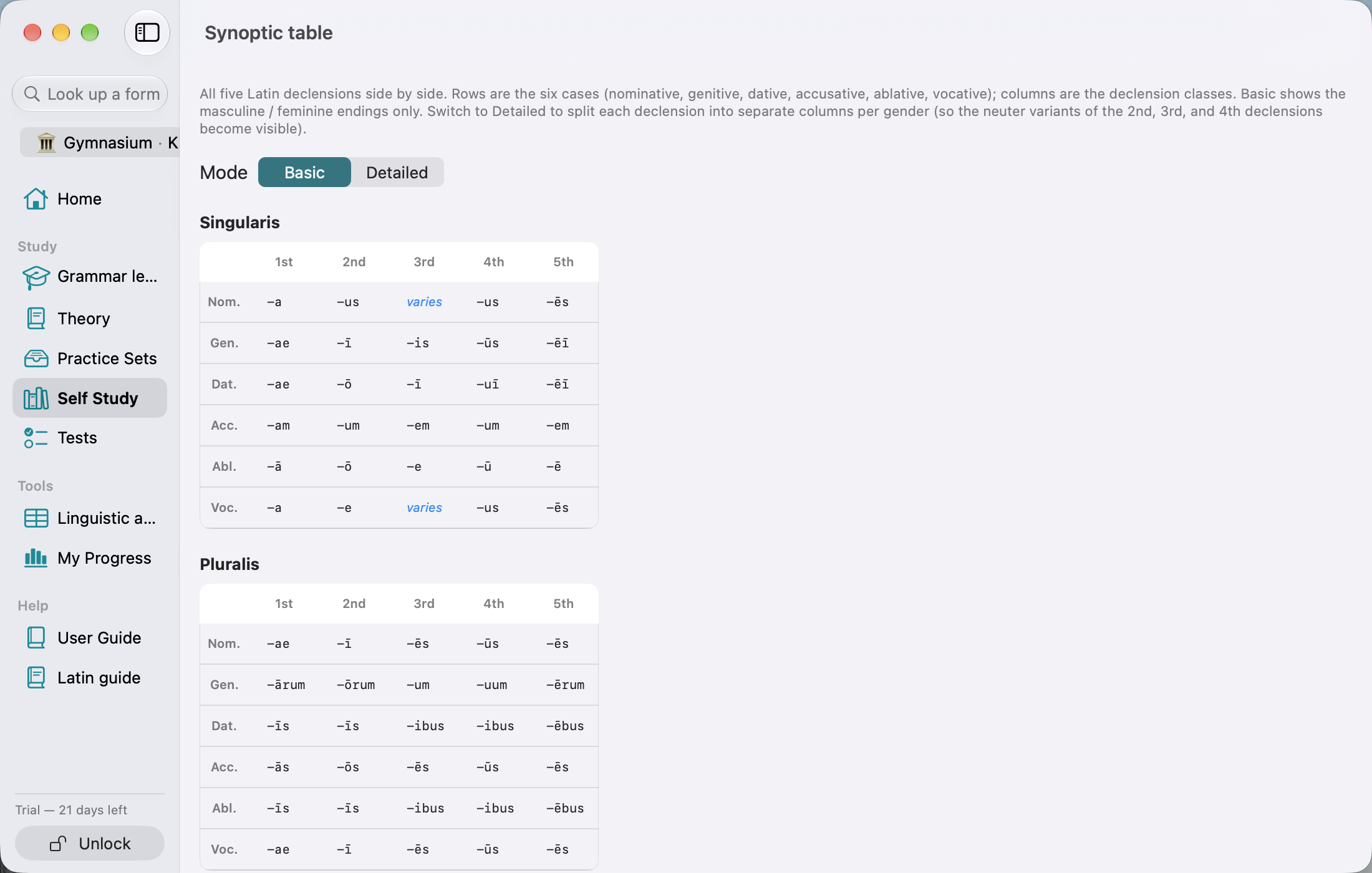 All five declensions, no scrolling
On the Mac the whole grid fits the window: singular and plural, all five declensions side by side, with the sidebar beside them.
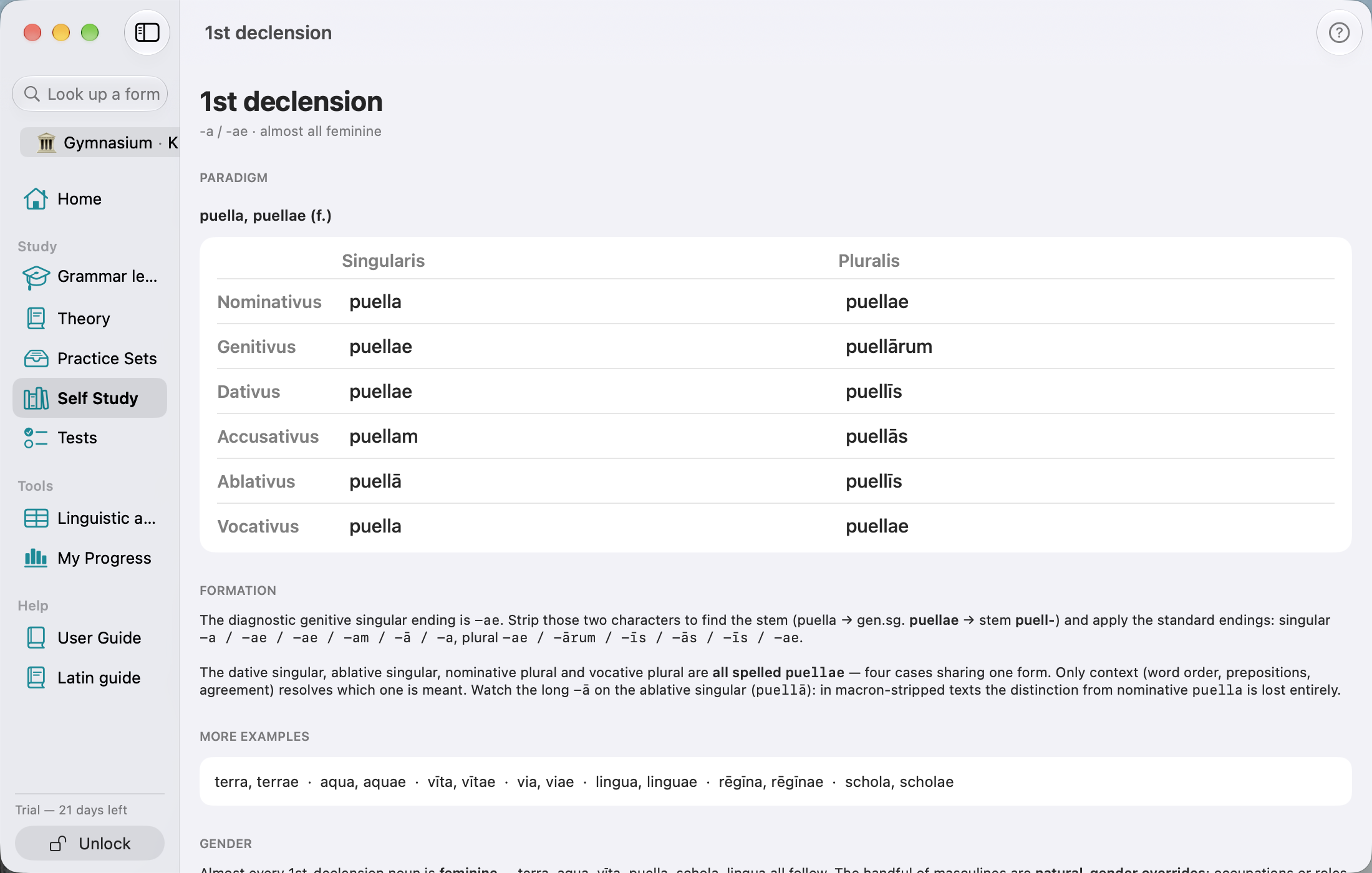 One declension, paradigm and explanation at once
The table and the note sit side by side rather than one below the other, so you read the rule while looking at the forms.
Adjectives and verbs
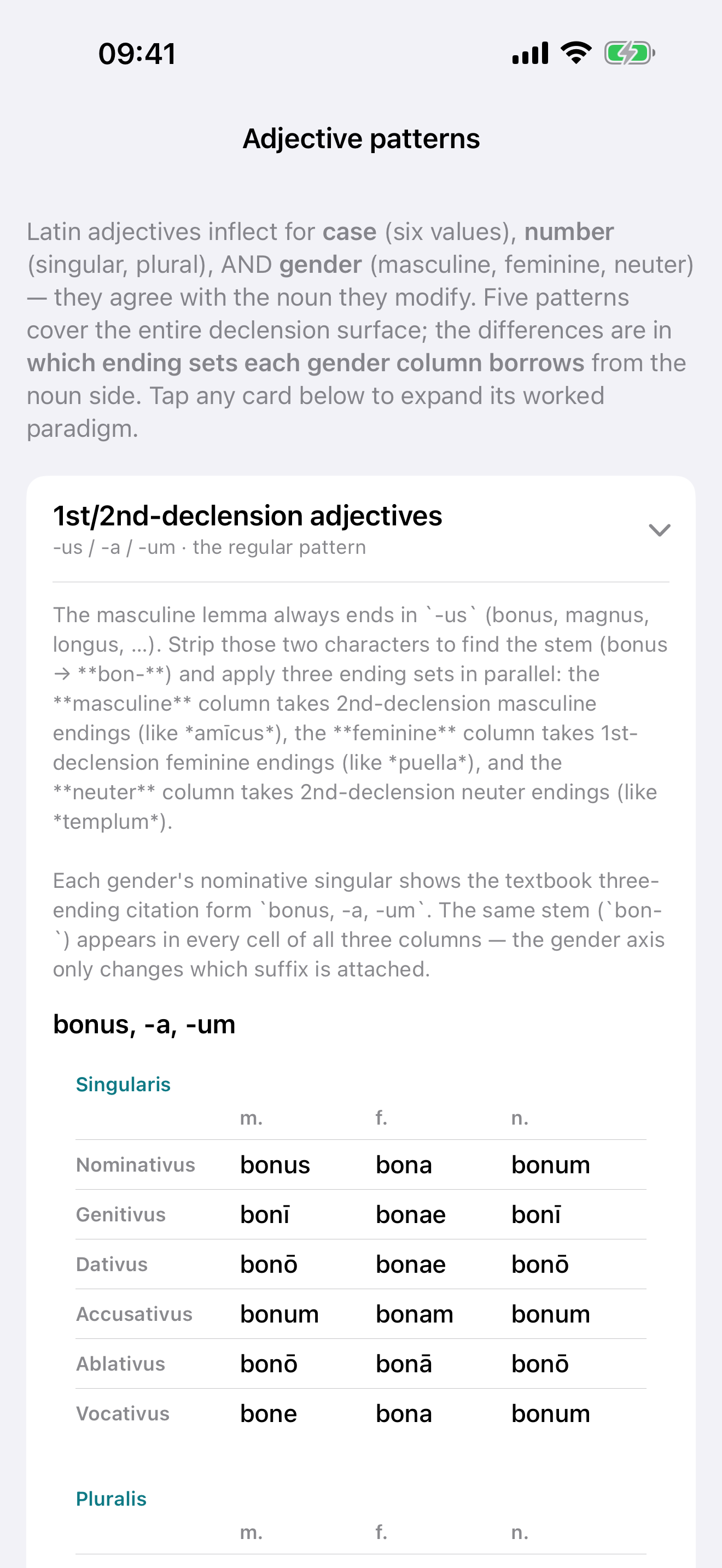 The five adjective patterns
One card per pattern, from the regular -us / -a / -um to the three-ending third-declension adjectives, each opening on a worked paradigm.
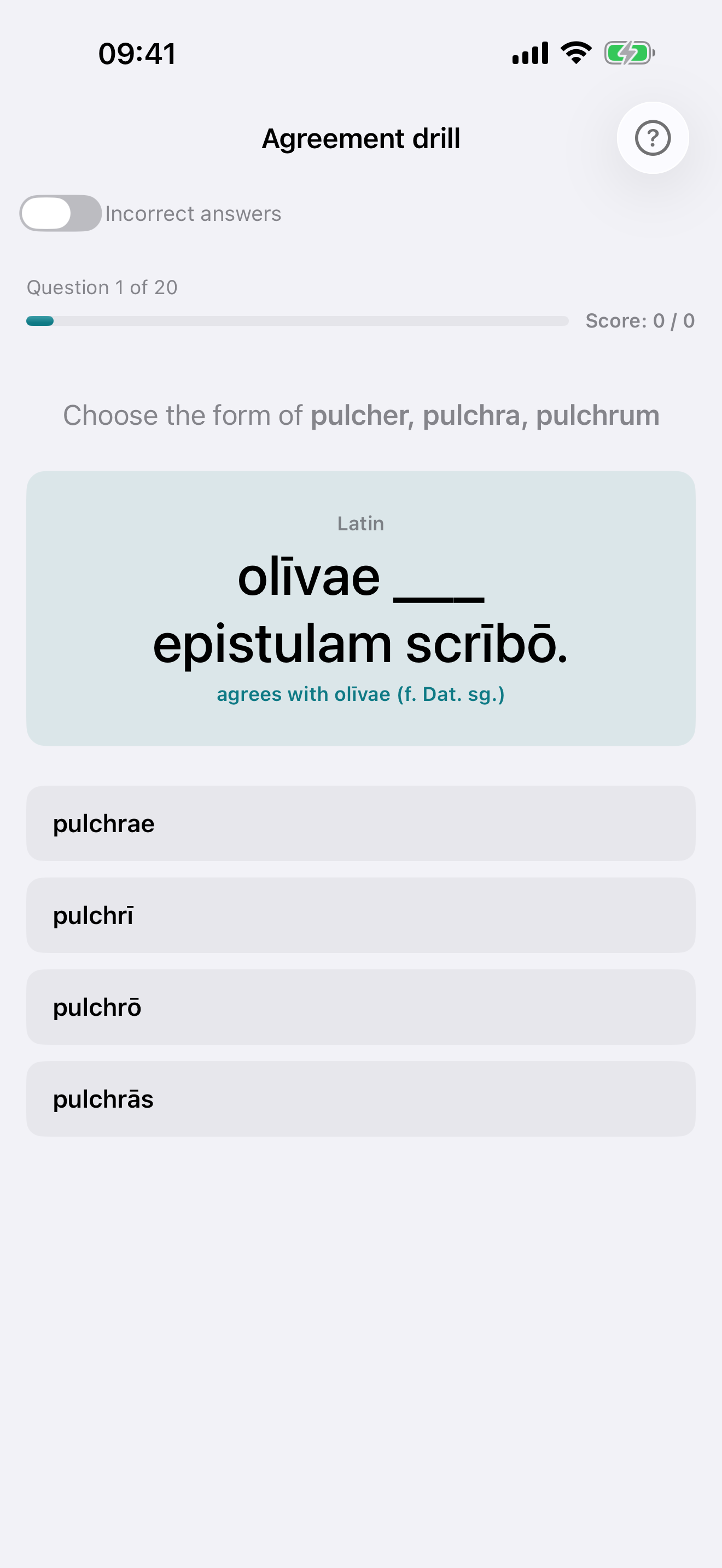 The agreement drill
The noun is already inflected and the adjective is missing. Pick the form that agrees; the explanation names the noun's gender, case and number.
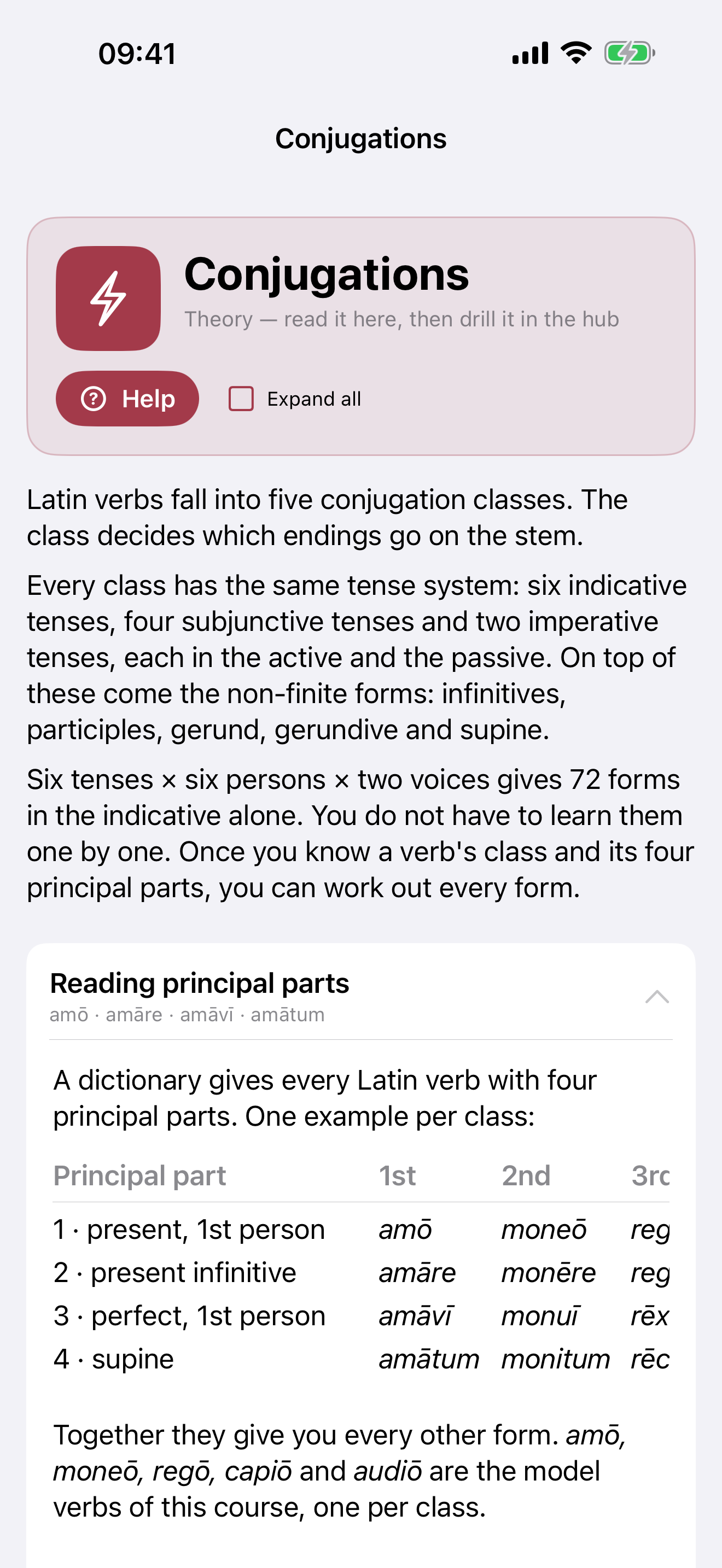 Conjugations and tenses
The five conjugation classes and the irregular verbs, each opening on its model verb, with the tense system explained below.
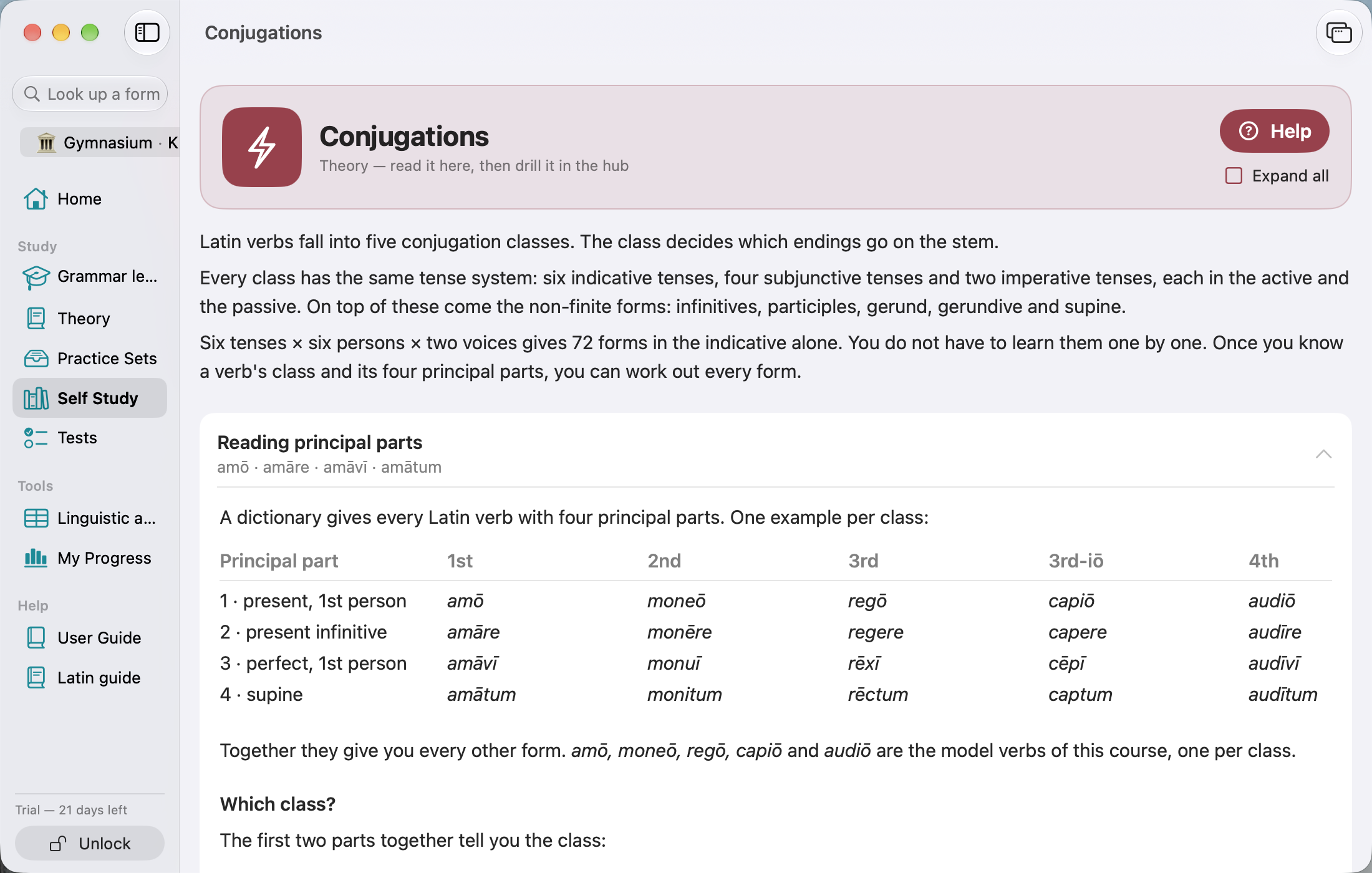 The tense system in one window
The five classes, the irregular verbs and the explanation of the tense system in a single view.
Reading
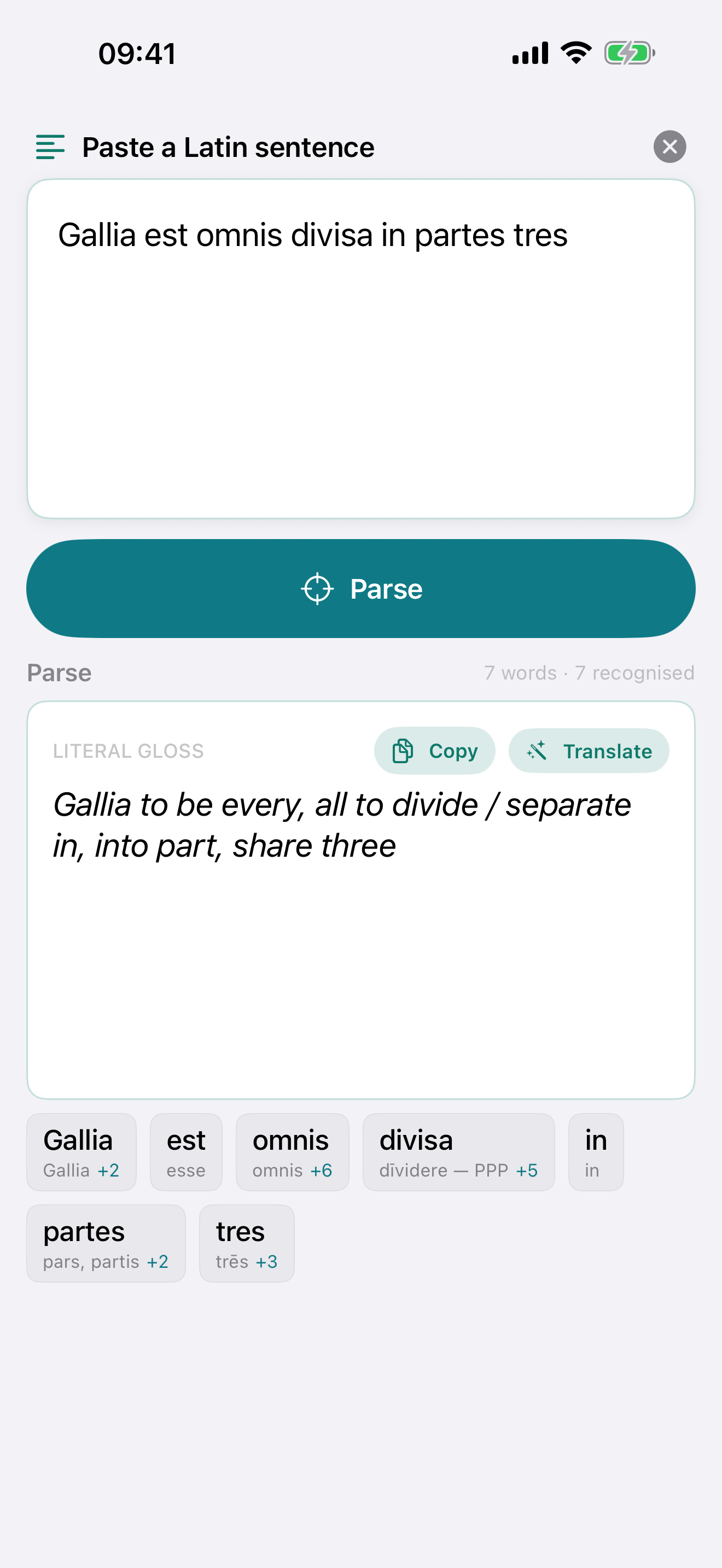 Sentence parser
Paste a Latin sentence; every word the catalogue knows comes back parsed, with a literal gloss you can copy.
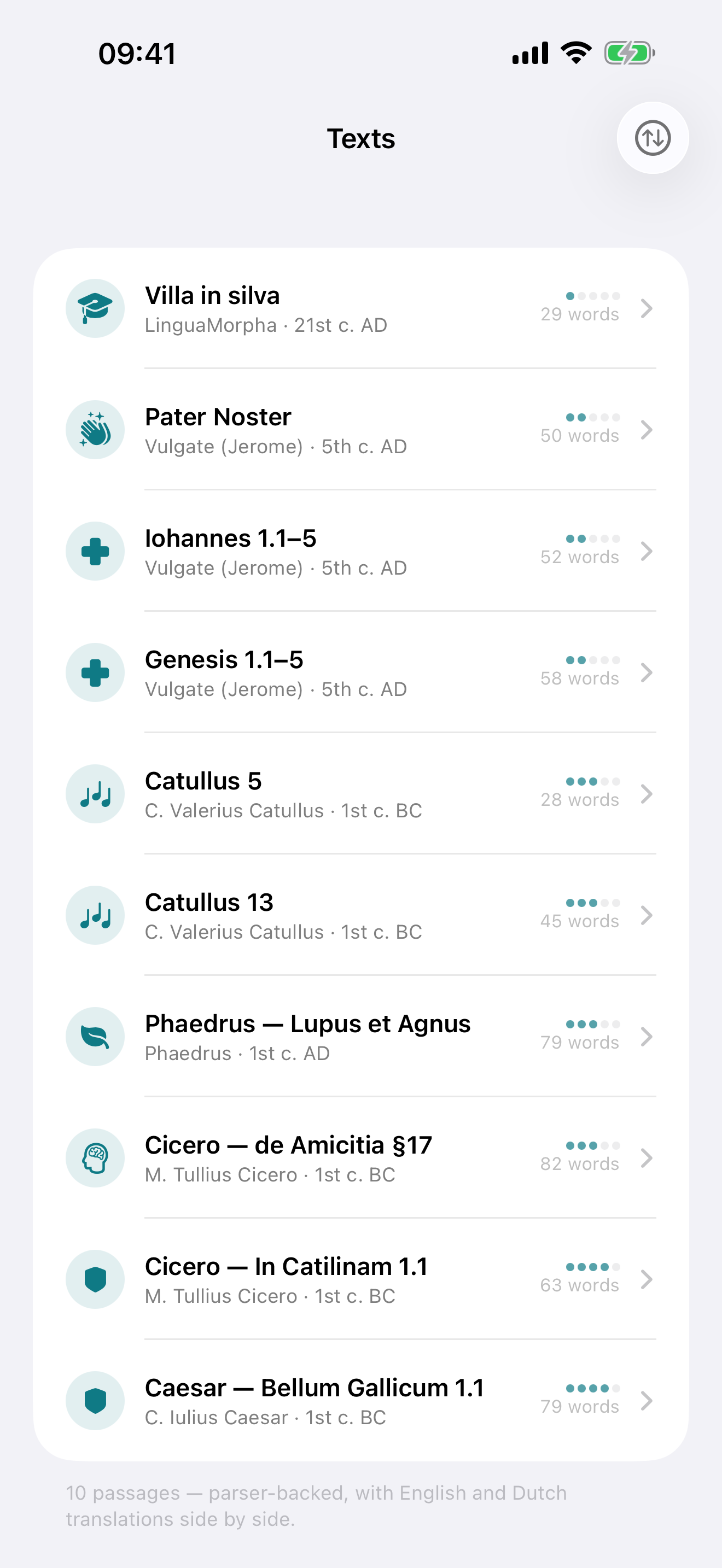 Annotated readings
Ten passages, sorted by difficulty, with a translation under every line and a parse behind almost every word.
 The parser in the Mac app
A real Mac app with a sidebar, not a stretched phone layout: paste a line of Caesar, parse it, and open any word's entry.