Select verb groups
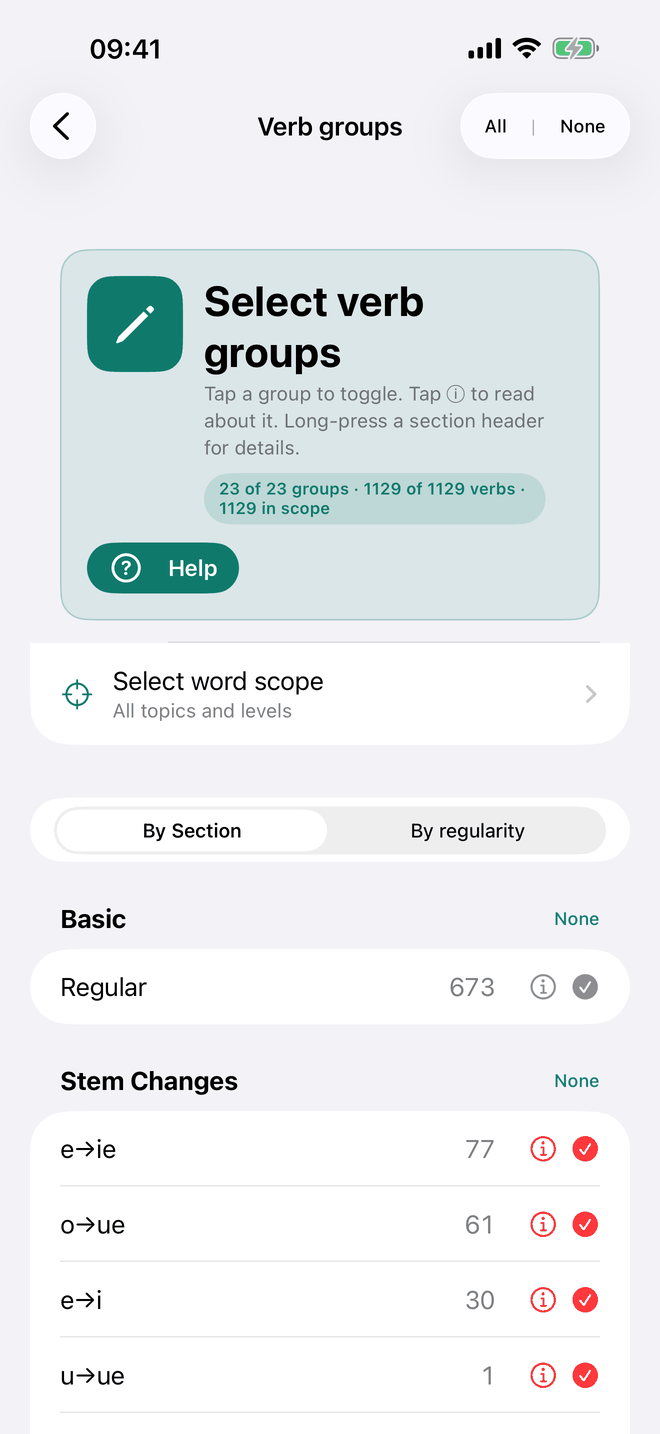
Select verb groups chooses which verbs you practise, by their grammatical character rather than one by one. The screen does not set level or topic: those are global. Your level is in Scheme and level (the chip with the flag), and the Select word scope row near the top takes you to the topics (its second line says All topics or Filtered by topic).
The banner at the top keeps a running count of what you have chosen, e.g. "23 of 23 groups · … · 212 in scope", with the number of selected verbs in the middle: how many groups are ticked, how many verbs those groups cover in the whole catalogue, and how many of those are left within your level and word scope. The last number is what the drills draw from.
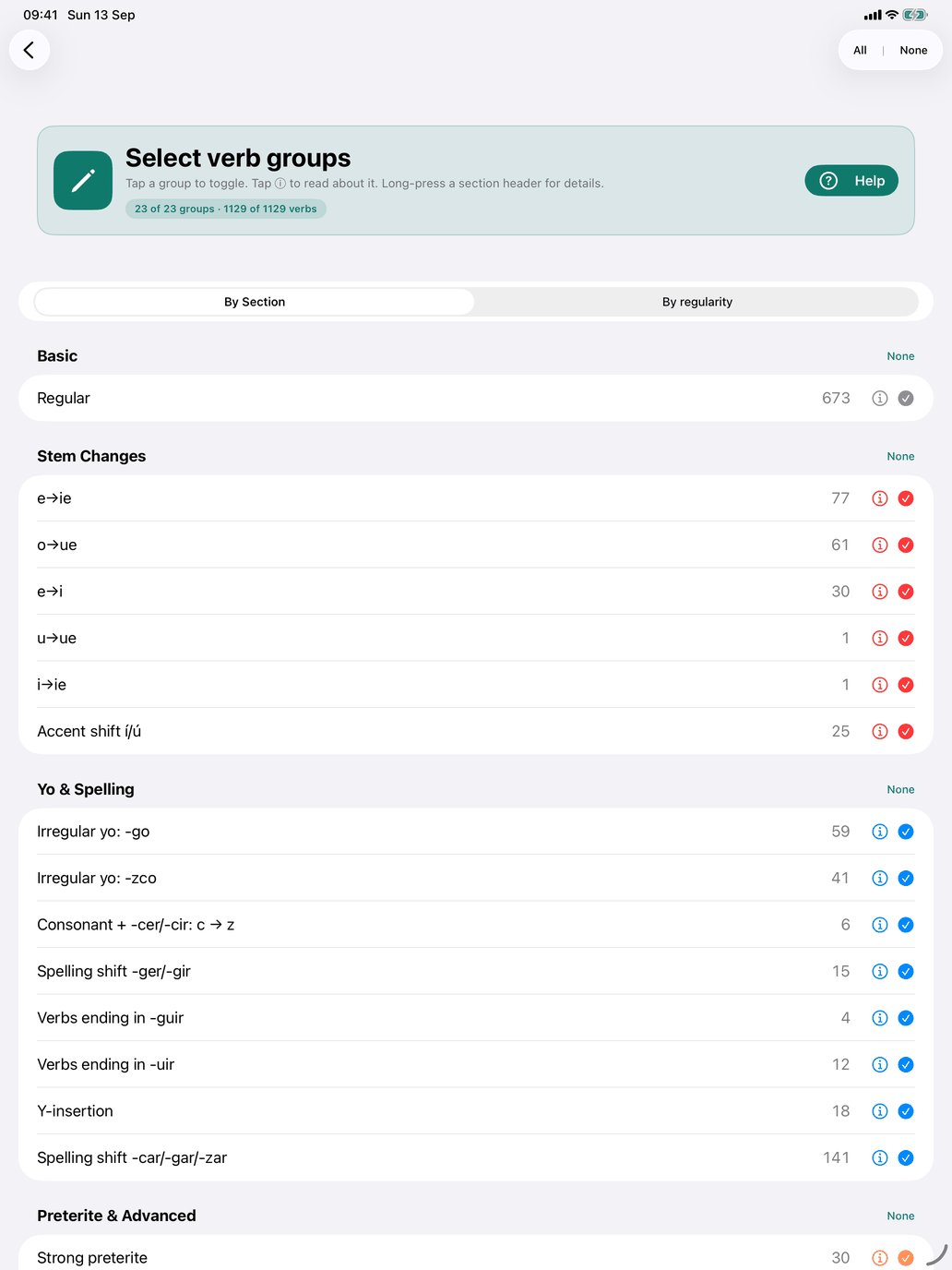
Tap a row to tick or untick it. Each row shows how many verbs are in the group, and its ⓘ opens the group's explanation (see Verb group badges and info sheets under Conjugation tables). Each section header has an All / None button, and All | None at the top right ticks or clears every group at once. Long-press a family header (on the Mac, click and hold) for an explanation of the whole family. A family of one group, such as Fully regular, has none: the row's ⓘ covers it.
A verb usually belongs to more than one group, and it is in your pool when any of its groups is ticked. Lavarse, for example, is both Regular and Reflexive, so ticking Regular alone already includes it.
If you leave the screen with nothing ticked, the app warns you — "No verb groups selected" — and offers Stay and select or Go back anyway.
By Section
The first view lists the 23 groups under nine families — the same families, in the same order, as the Verb groups page under Theory:
| Family | Groups |
|---|---|
| Fully regular | Regular |
| Stem-changing verbs | e→ie, o→ue, e→i, u→ue, i→ie, Accent shift í/ú |
| Yo-form irregularities | Irregular yo: -go, Irregular yo: -zco, Consonant + -cer/-cir: c → z, Spelling shift -ger/-gir, Verbs ending in -guir |
| Spelling-change verbs | Verbs ending in -uir, Y-insertion, Spelling shift -car/-gar/-zar |
| An irregular stem in one tense | Strong preterite, Irregular participle, Irregular future stem |
| Irregulars that fit no pattern | Irregular |
| Reflexive verbs | Reflexive |
| Impersonal and gusto-type verbs | Impersonal, Me gusta pattern |
| Stative verbs | Stative |
Stem-changing verbs holds the five vowel changes plus Accent shift í/ú — verbs like enviar, confiar, actuar and continuar, whose stem vowel takes a written accent where the spoken stress falls on it (envío, actúe). Nosotros and vosotros keep the stress on the ending and take no accent (enviamos).
An irregular stem in one tense holds the strong preterite (tener → tuve), the shortened future stem (tener → tendré, tendría) and the irregular participle (abrir → abierto): each is one stem to learn for one tense. Irregular is for the verbs no pattern explains, such as ser and ir.
The last three families are different in kind: none of their groups changes an ending. They describe how the verb is built into a sentence — with a reflexive pronoun, only in the third person, with the me gusta construction, or (stative) not in the progressive.
By regularity
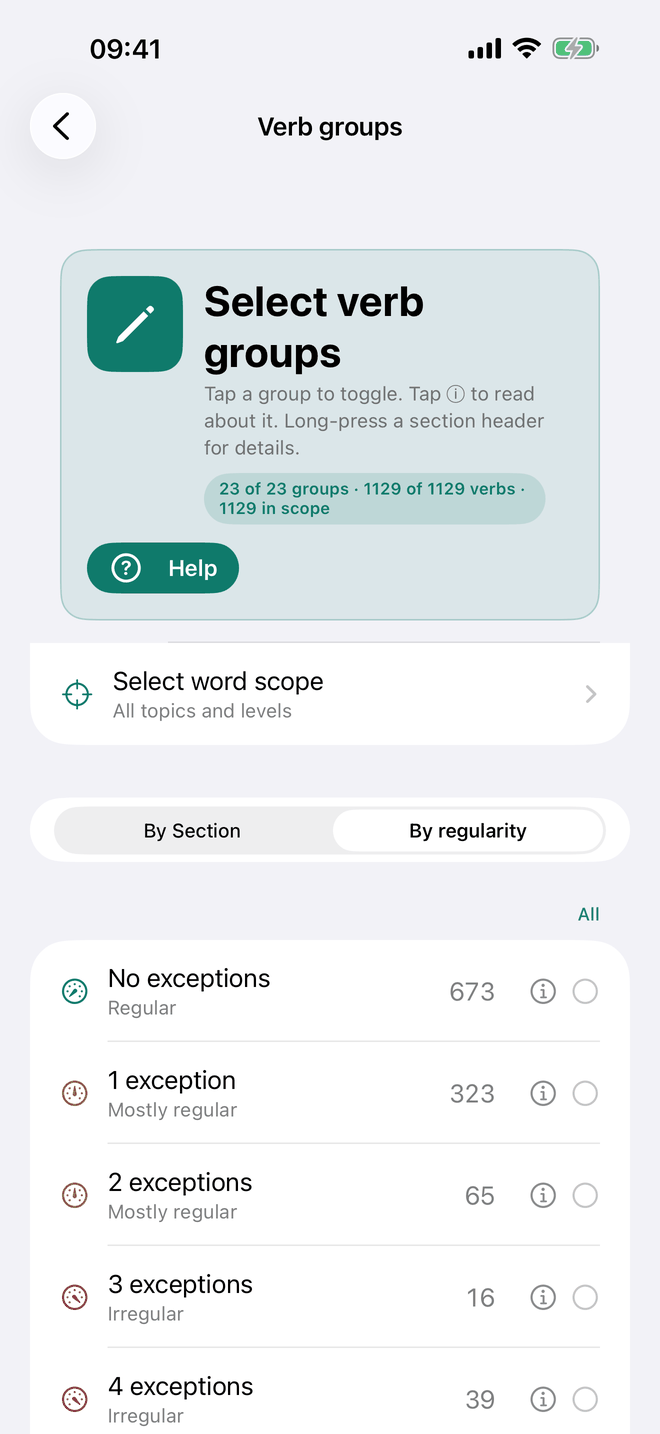
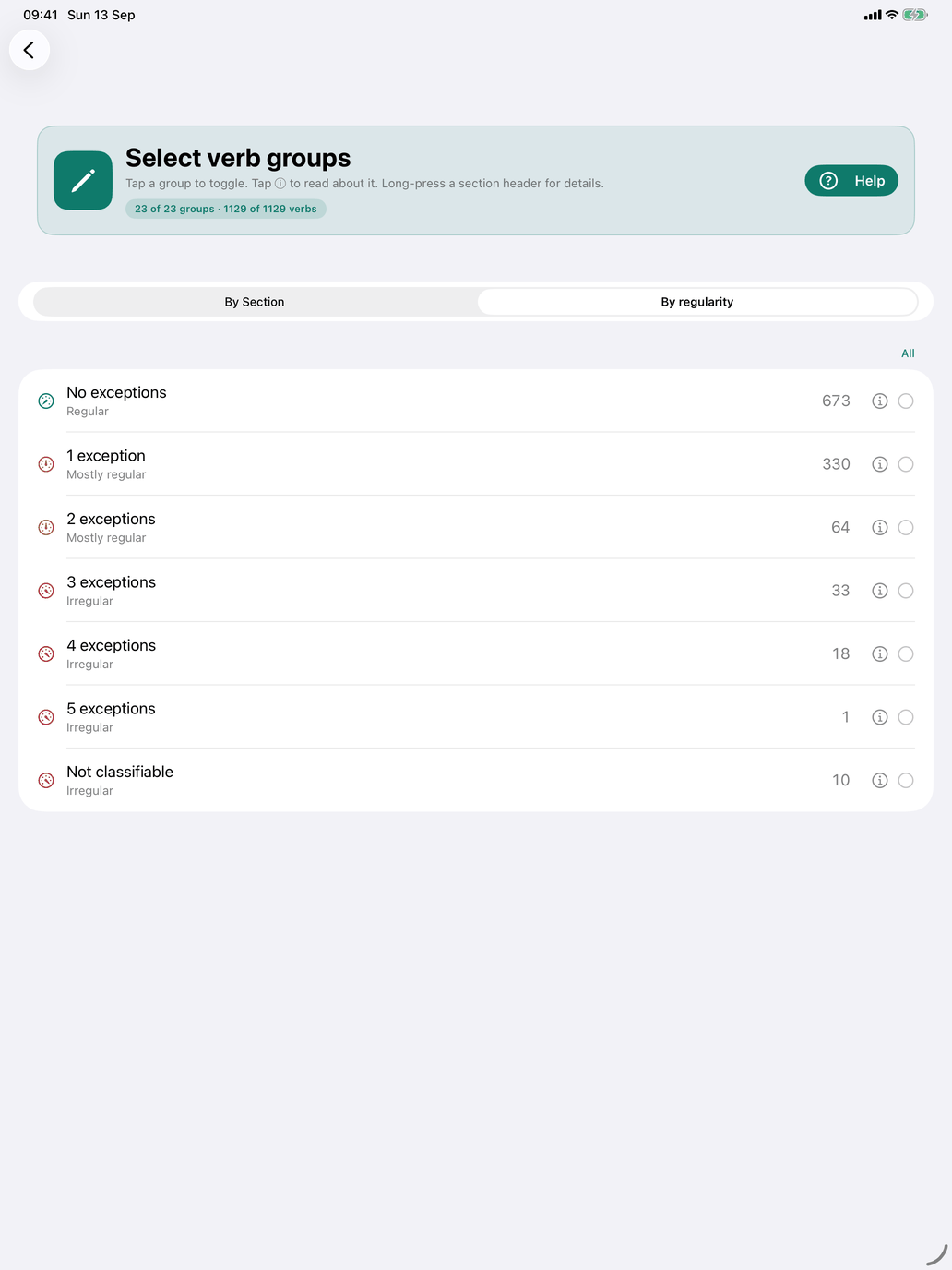
The second view asks a different question: not which pattern, but how many. It lists flat rows — No exceptions, 1 exception, 2 exceptions and so on — and a last row, Not classifiable, for the verbs no pattern accounts for. Each row is labelled Regular, Mostly regular (one or two exceptions) or Irregular.
Tick 2 exceptions and you get every verb that asks you to remember two things beyond its endings, whichever two they are: almorzar is o→ue and a -zar spelling shift, salir takes -go and a shortened future stem, and both are 2.
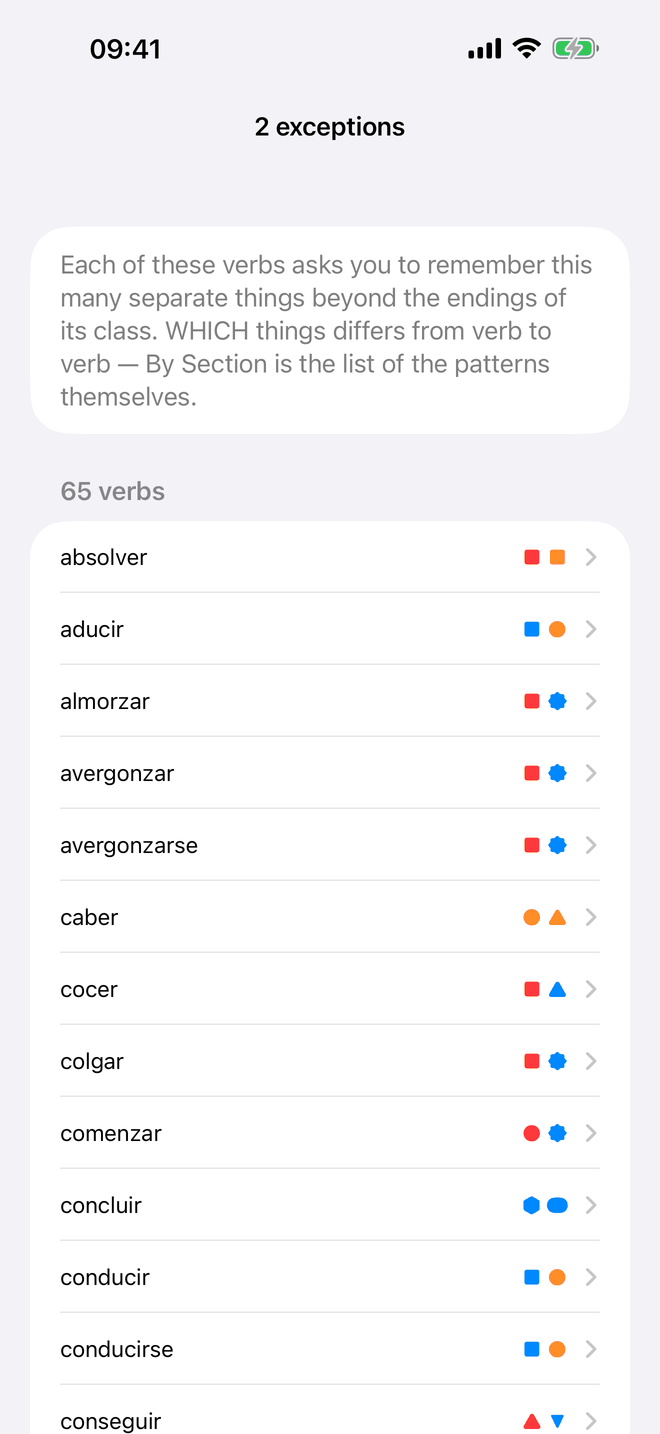
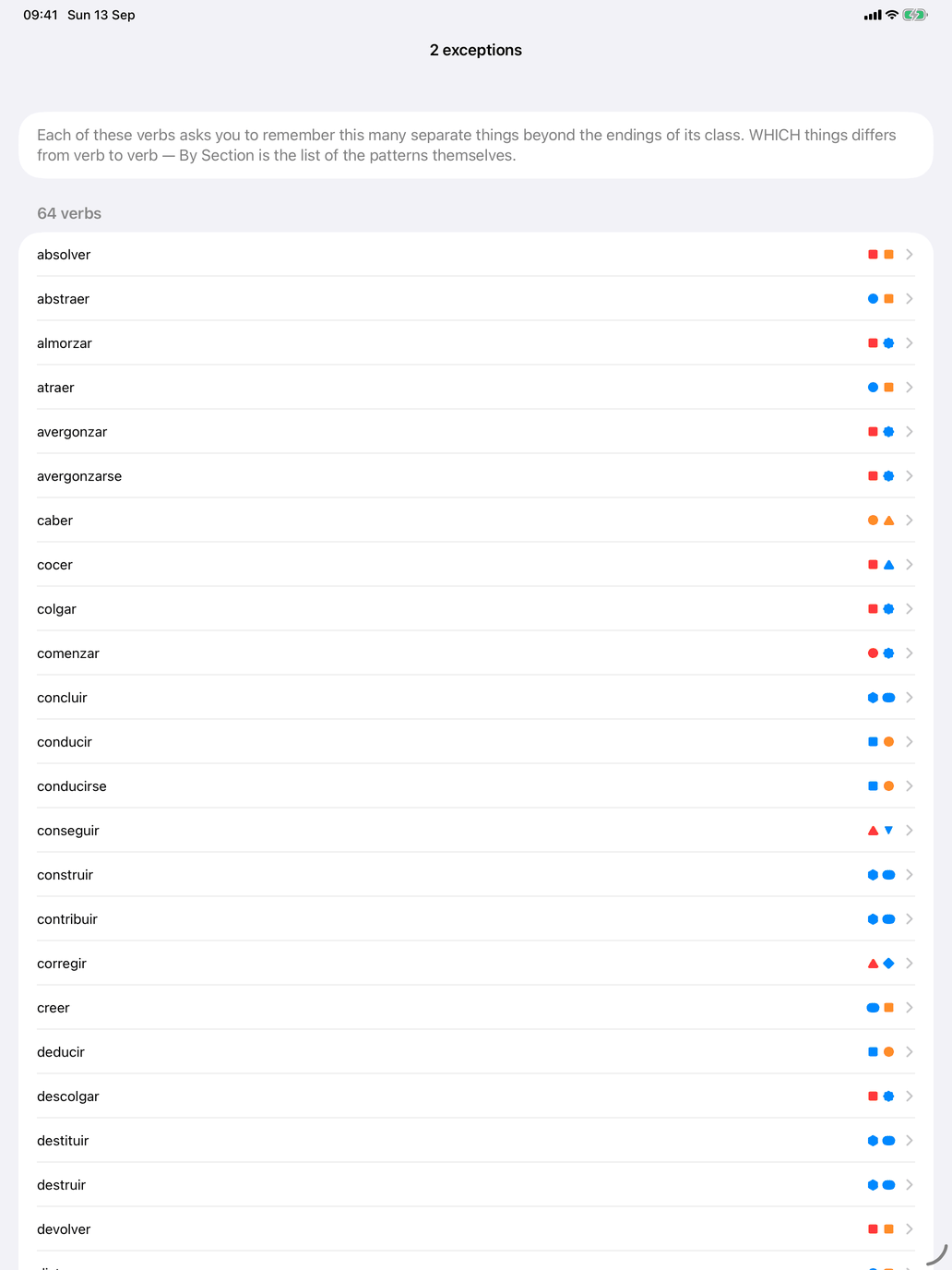
Each row's ⓘ explains the row and lists its verbs, each with a mark for every exception it has and a legend underneath, so you can see what the number is made of before you commit to it. Tap a verb there to open it.
Ticks in the two views add up: a verb is in your pool if it matches a ticked group or a ticked exception count.
Seeing which verbs you ended up with
This screen chooses patterns; it does not list the verbs they match. To see the resulting pool, open Reference on the verbs hub.